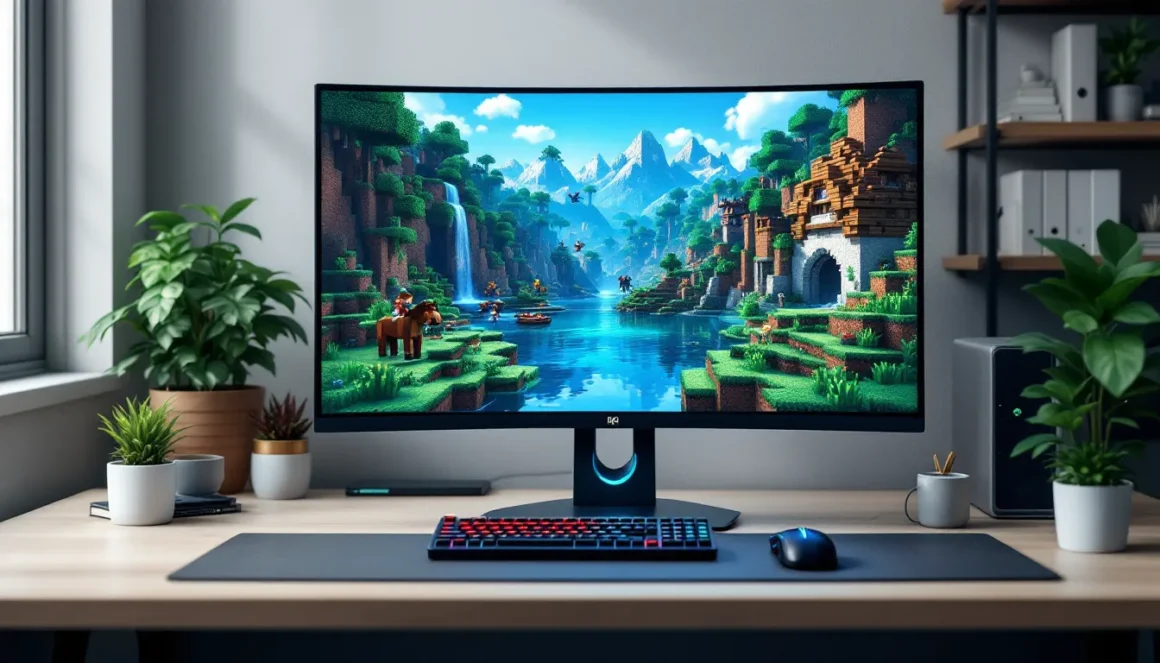
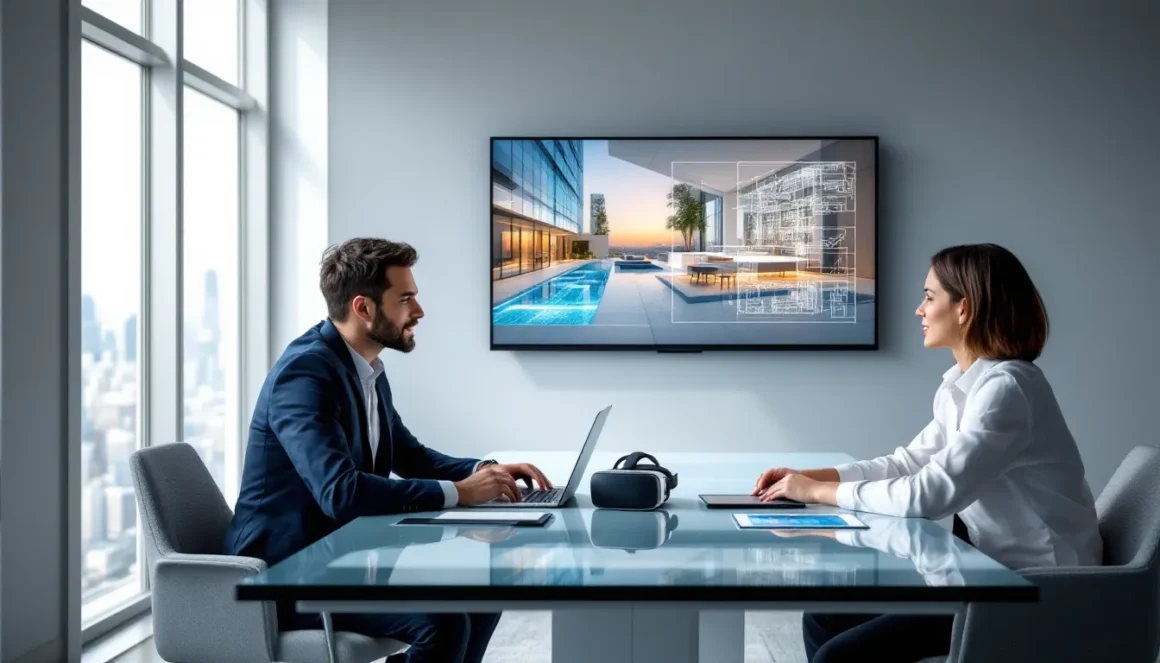
If you’ve spent any time exploring open-world RPGs or walking through meticulously crafted environments in titles like Cyberpunk 2077 or Red Dead Redemption 2, you’ve already experienced what architects and real estate developers are now using to sell actual buildings. The same rendering tech that brings virtual worlds to life is powering 3D architectural walkthrough services, interactive, photorealistic tours of properties that don’t exist yet (or need marketing before construction wraps). Game engines like Unreal Engine 5 and Unity have jumped from powering your favorite shooters and sandbox games to rendering million-dollar condos, shopping malls, and city planning projects. The shift isn’t just cosmetic, it’s fundamentally changed how designers showcase spaces, slashing rendering times from days to seconds and letting clients walk through buildings in real-time VR. This article breaks down how 3D walkthrough animation services work, why game tech dominates the industry in 2026, and what separates a decent 3D walkthrough animation company from one that just slaps together static renders with a camera path.
Key Takeaways
- 3D architectural walkthrough services use real-time game engines like Unreal Engine 5 and Unity to create photorealistic, interactive property tours that clients can explore at their own pace instead of watching linear videos.
- Game-engine rendering delivers instant feedback for design iterations and reduces production time from days or weeks to hours, making 3D walkthrough services far more cost-effective than traditional offline rendering methods.
- Real-time interactivity, VR/AR integration, and dynamic lighting in architectural walkthroughs dramatically boost buyer engagement and purchase confidence compared to static renders and 2D floor plans.
- Leading 3D walkthrough animation companies prioritize hiring generalists familiar with Unreal and Unity engines, asset optimization, and interaction scripting rather than traditional visualization software experts.
- Emerging technologies like AI-assisted design, cloud streaming, and neural rendering will further streamline 3D architectural walkthrough production, making high-quality property visualization accessible to more markets by 2027–2028.
- Architects, real estate developers, interior designers, and urban planners now rely on 3D walkthrough services across residential, commercial, and public infrastructure projects to communicate designs more effectively to stakeholders and clients.
What Are 3D Architectural Walkthrough Services?
3D architectural walkthrough services are pre-rendered or real-time animated tours through digital models of buildings, interiors, or urban spaces. Think of them as guided camera paths through a level editor, except instead of a fantasy dungeon, you’re navigating a photorealistic apartment lobby or commercial plaza.
These walkthroughs show off spatial relationships, lighting conditions, material finishes, and furniture layouts before a single brick gets laid. Clients, developers, investors, or buyers, can see exactly what a space will look like from multiple angles, at different times of day, and even interact with elements like opening doors or switching furniture styles.
Unlike static 3D renders (single images), a 3D walkthrough animation is a video or interactive experience. Early versions were linear videos exported from software like 3ds Max or V-Ray, taking hours or days to render a few minutes of footage. Modern services lean heavily on game engines for real-time playback, letting users explore freely instead of watching a fixed camera path.
The tech borrows directly from game development: collision detection so you don’t clip through walls, level-of-detail (LOD) systems to keep frame rates smooth, and post-processing effects like depth of field or bloom to nail that cinematic look. For gamers, it’s the same pipeline that builds explorable environments in The Last of Us or Resident Evil, just applied to condos instead of zombie outbreaks.
3D architecture walkthrough services also include interactive features like toggleable floor plans, material swaps (marble vs. hardwood), and even multiplayer collaboration where multiple stakeholders can tour a property simultaneously from different locations. This level of control mirrors the kind of sandbox customization you’d expect in a builder game, but with photorealistic output that passes for the real thing.
The Game Engine Advantage in Architectural Visualization
Game engines didn’t start as architectural tools, but by 2026 they’ve become the default choice for 3D architectural visualization walkthrough projects. The reason? Real-time rendering kills the old workflow where you’d wait overnight for a single 4K frame to bake in a CPU renderer. Engines like Unreal and Unity render frames in milliseconds, not minutes, and they handle lighting, physics, and interactivity natively, all critical for immersive walkthroughs.
The shift accelerated around 2020 when Unreal Engine 4 added ray-traced global illumination and Unity introduced its High Definition Render Pipeline (HDRP). Suddenly, architects could get near-offline-quality renders at 60 FPS, with the flexibility to adjust lighting or materials on the fly during client presentations. That’s a game-changer when a developer wants to see “the lobby in evening light” without scheduling a week-long re-render.
Unreal Engine for Photorealistic Architectural Walkthroughs
Unreal Engine 5 (UE5) has become the gold standard for high-end architectural walkthrough projects. Its Lumen global illumination system calculates bounced light in real-time, so sunlight streaming through windows correctly illuminates adjacent walls and ceilings without pre-baked lightmaps. Nanite virtualized geometry lets artists import CAD models with millions of polygons, brick facades, ornate moldings, complex staircases, without tanking performance.
UE5’s Path Tracer mode pushes photorealism even further, matching offline renderers like V-Ray for final marketing videos. Studios use it for luxury real estate, where marble veining, fabric textures, and ambient occlusion need to look flawless. The engine’s MetaHuman tech even lets firms populate scenes with lifelike virtual humans, showing scale and activity in lobbies or cafes.
For 3D animation walkthrough work, UE5’s sequencer tool (the same one used for in-game cutscenes) lets animators set up camera moves, trigger events like automatic doors, and export finished videos at 4K or 8K. Because it’s the same engine powering Fortnite and Hellblade II, asset libraries are massive, furniture, vegetation, vehicles, all optimized for real-time use.
Unity’s Real-Time Rendering for Interactive Property Tours
Unity dominates the interactive side of 3D walkthrough services. While Unreal leads in raw visual fidelity, Unity’s lighter footprint and web/mobile export options make it ideal for browser-based property tours or VR experiences that run on standalone headsets like Meta Quest 3.
Unity’s HDRP supports ray-traced reflections, volumetric lighting, and physically based materials, delivering visuals that satisfy most residential and mid-market commercial projects. Its Universal Render Pipeline (URP) scales down for mobile VR, letting potential buyers tour a condo from their phone without needing a gaming PC.
The real strength? Unity’s cross-platform deployment. A 3D walkthrough animation company can build one project and export it to Windows, macOS, iOS, Android, WebGL, and VR simultaneously. That’s huge for marketing firms running campaigns across devices. Unity also integrates smoothly with configurators, tools that let users swap paint colors, flooring, or furniture in real-time, exactly like weapon skin selectors in a multiplayer shooter.
Both engines benefit from decades of optimization for open-world games. Occlusion culling (not rendering what you can’t see), GPU instancing (reusing identical assets), and LOD systems keep frame rates high even in sprawling office complexes or multi-story malls. These tricks are why PC gaming performance analysis sites test architectural demos alongside AAA titles, the tech overlap is near-total.
Key Features That Make Walkthroughs Effective
Not all 3D architectural walkthrough projects hit the same way. The best ones combine technical polish with smart UX design, borrowing player-centric principles from game dev. Here’s what separates a compelling walkthrough from a slideshow with camera pans.
Real-Time Interactivity and User Control
Interactivity is the killer feature. Linear video walkthroughs are fine for initial presentations, but clients want to explore at their own pace, stop in the kitchen, rotate 360°, check sight lines from the balcony. Real-time engines let users navigate with WASD or gamepad controls, just like a first-person game.
Advanced 3D walkthrough animation services add clickable hotspots (“view alternate layout,” “see night lighting”), teleport nodes to jump between floors, and even time-of-day sliders that shift from dawn to dusk in seconds. These features mirror the kind of quick-travel and day/night cycles in open-world RPGs, making exploration intuitive for anyone who’s played a modern game.
Some firms integrate measurement tools, click two points to see distance, or comparison modes that overlay proposed renovations onto existing spaces. That level of control turns passive viewers into active participants, which studies show boosts engagement and purchase confidence.
Photorealistic Lighting and Material Rendering
Lighting makes or breaks believability. Real-time ray tracing (available in both UE5 and Unity HDRP) simulates how light bounces off surfaces, creating soft shadows, accurate reflections in glass and water, and subtle color bleeding where, say, a red rug tints nearby white walls.
Physically Based Rendering (PBR) materials, the same system used in The Witcher 3 or Horizon Forbidden West, ensure metals look metallic, wood has the right sheen, and fabrics absorb or scatter light correctly. Artists build materials from texture maps: albedo (base color), roughness (surface smoothness), metallic (conductor vs. insulator), and normal maps (surface detail). This approach guarantees consistency across different lighting conditions, so a marble countertop looks right whether it’s under morning sun or evening lamps.
Post-processing layers on the final polish: depth of field blurs distant objects like a DSLR, chromatic aberration adds lens distortion for realism, and color grading matches brand aesthetics. These are the same screen-space effects you toggle in graphics settings menus, proof that gaming tech how-tos and architectural rendering now share a vocabulary.
VR and AR Integration for Immersive Experiences
Virtual reality takes 3D architecture walkthrough projects from impressive to unforgettable. Clients don a headset and stand inside the unbuilt space at 1:1 scale, turning their head to look around naturally. The sense of presence, feeling like you’re actually there, is unmatched by flat screens.
UE5 and Unity both support VR natively, with optimizations for headsets like Meta Quest 3, PlayStation VR2, and PC tethered rigs. Developers reuse locomotion systems from VR games (teleportation, smooth movement, snap turning) so navigation feels familiar. Hand tracking or controllers let users open cabinets, pick up objects, or annotate spaces with virtual sticky notes during design reviews.
Augmented reality (AR) flips the script: instead of entering a virtual space, you project a 3D model into your real environment via phone or tablet. Walk around a physical empty lot and see the proposed building overlaid at full scale, or place a miniature architectural model on your coffee table and inspect it from all angles. AR is huge for on-site client meetings and community consultations, where stakeholders can visualize proposals in context.
Industries Benefiting from Architectural Walkthrough Technology
While real estate grabs headlines, 3D walkthrough animation tech has infiltrated half a dozen verticals, each leveraging game-engine capabilities in different ways.
Real Estate Marketing and Pre-Sales Visualization
Developers use 3D architectural walkthrough services to sell condos, office towers, and retail spaces before construction finishes, sometimes before it even starts. High-quality walkthroughs become centerpieces of sales websites and showroom kiosks, letting buyers explore unit layouts, view options, and compare floor plans interactively.
Pre-sales campaigns for luxury developments often include VR experiences at pop-up showrooms in major cities. Prospective buyers tour penthouses from a mall kiosk, then configure finishes (countertops, flooring, fixtures) in real-time. This cuts the need for physical model units, saving developers hundreds of thousands in construction and staging costs.
Marketing teams also export linear walkthrough videos for YouTube, Instagram, and property listing sites. A 90-second cinematic tour, complete with dramatic camera moves and music, generates more engagement than static photos, especially when shared across platforms where video content dominates.
Interior Design and Space Planning
Interior designers use real-time walkthroughs to pitch concepts and iterate with clients on the fly. Instead of showing mood boards and 2D floor plans, they load a Unity or Unreal project during presentations and say, “Let’s try the sofa in blue instead of gray.” Material and furniture swaps happen instantly, and clients see results immediately.
This workflow mirrors character customization screens in RPGs, choose an option, see the change, iterate until satisfied. The same logic applies to commercial interiors: office managers can test desk layouts, lighting schemes, and partition placements in virtual space before ordering furniture or scheduling contractors.
Some 3D walkthrough animation services integrate e-commerce, letting clients click furnishings within the walkthrough to view specs and purchase links. It’s a direct pipeline from design visualization to product sales, blurring the line between marketing tool and shopping experience.
Urban Planning and Community Engagement
City planners use 3D architectural visualization walkthrough tech to present large-scale developments, new transit hubs, mixed-use districts, park redesigns, to public stakeholders. Traditional renderings and blueprints alienate non-expert audiences: interactive walkthroughs let community members explore proposals at street level, understanding sight lines, pedestrian flow, and neighborhood impact.
Some municipalities deploy web-based Unity walkthroughs on public consultation portals, collecting feedback via embedded surveys or heatmaps showing where users spent the most time. This data informs design revisions and helps planners address concerns before breaking ground.
VR town halls have become a thing: residents put on headsets and “stand” in the proposed plaza or waterfront, experiencing scale and ambiance in ways that 2D drawings can’t convey. It’s participatory design powered by the same engines that run MMOs and social VR platforms.
How Architectural Walkthroughs Are Created Using Gaming Technology
The production pipeline for a 3D animation walkthrough borrows directly from game development, with some architectural-specific quirks. Here’s how a typical project flows from blueprints to interactive experience.
From CAD Models to Game-Ready Assets
Architects design buildings in CAD software like AutoCAD, Revit, or ArchiCAD. These tools produce precise geometry, walls, windows, structural elements, but output models that are way too dense for real-time rendering. A single ornamental column might have a million polygons, which would crater frame rates in a game engine.
The first step is decimation and optimization. Artists import CAD models into tools like Blender, 3ds Max, or Maya, then reduce polygon counts while preserving visual fidelity. They bake high-res detail into normal maps (texture files that fake surface complexity), letting a 500-poly object look like a 500,000-poly one at runtime. This is identical to the LOD workflow in games: distant objects use low-poly meshes, nearby ones swap to higher detail.
Next comes UV unwrapping and texturing. Artists lay out the model’s surface as a flat 2D map (UV), then apply PBR textures, albedo, roughness, metallic, normal, sourced from libraries like Quixel Megascans (owned by Epic, integrated with Unreal) or Substance 3D. Materials follow the same standards as game assets, ensuring consistency under dynamic lighting.
Geometry is assembled into modular kits: wall segments, door frames, window units, flooring tiles. This modularity speeds up iteration (swap a door type across 50 instances in seconds) and keeps file sizes manageable. It’s the same tile-based level design you see in game walkthroughs, just applied to office buildings instead of dungeons.
Animation Techniques Borrowed from Game Development
Camera animation in walkthroughs uses spline paths and keyframing, core techniques in both game cinematics and film. Artists plot a path through the space, set keyframes for camera position and rotation, then adjust easing curves (speed ramps) for smooth, cinematic motion.
Advanced projects add scripted events: doors that open as the camera approaches, lights that flicker on when entering a room, or NPCs (non-player characters) walking through lobbies to show scale and activity. These triggers use the same event systems as game cutscenes, proximity triggers, timeline sequences, animation state machines.
Sequencer tools in Unreal and Unity let artists layer multiple animations: camera moves, object animations (elevators descending, fountains flowing), lighting changes, and audio cues. The final output can be a baked video or an interactive experience where users trigger events manually.
For VR walkthroughs, developers carry out locomotion systems from VR games, teleportation (point and click to jump to a location), smooth movement (analog stick navigation), or room-scale tracking (physically walk around small areas). Comfort features like vignetting (darkening peripheral vision during movement) prevent motion sickness, a critical UX concern borrowed from years of VR game development.
Comparing Traditional Rendering vs. Real-Time Walkthrough Solutions
The architectural visualization industry spent decades using offline renderers like V-Ray, Corona, and Arnold. These CPU-based engines produce stunning images but at a glacial pace: a single 4K frame can take 30 minutes to several hours depending on scene complexity. A 2-minute walkthrough at 30 FPS requires 3,600 frames, potentially weeks of render farm time.
Real-time engines flip the equation. Unreal and Unity render frames in 16–33 milliseconds (60–30 FPS), letting artists see changes instantly. Adjust a light angle, swap a material, reposition furniture, feedback is immediate, not next-day. This speed enables iterative design: try ten layout options in an hour instead of committing to one and waiting days to see if it works.
Image quality differences have narrowed dramatically. UE5’s Path Tracer mode matches V-Ray’s output for final marketing renders, and Lumen’s real-time GI is close enough for 95% of projects. Most clients can’t tell the difference between a game-engine walkthrough and an offline render, especially when viewed on typical office monitors or mobile screens.
Cost and flexibility also favor real-time solutions. Traditional rendering locks you into fixed camera paths, want a different angle? Re-render everything. Real-time walkthroughs let clients explore freely, and studios can update projects after delivery (“make the kitchen cabinets white”) without starting from scratch.
There are still edge cases where offline rendering wins: ultra-complex light transport (caustics through stained glass), extreme material depth (subsurface scattering in wax or jade), or archival-quality still images for print. But for 3D walkthrough services, real-time is the default in 2026. Studios that haven’t migrated are hemorrhaging clients to competitors offering faster turnaround and interactive delivery.
The workflow shift also impacts staffing. Traditional viz artists needed deep knowledge of render settings, light baking, and GI solvers. Real-time pipelines favor generalists comfortable with game engines, asset optimization, and interactivity scripting, skills closer to environment artists and level designers in the gaming industry. Firms hiring for 3D walkthrough animation company roles now prioritize Unreal/Unity proficiency over V-Ray expertise.
Choosing the Right 3D Walkthrough Service Provider
Not all 3D walkthrough animation services are created equal. The barrier to entry is low, anyone with Unreal and YouTube tutorials can call themselves a provider, but delivering polished, professional results requires skill, experience, and solid project management. Here’s what to vet when shopping for a studio.
Portfolio Quality and Technical Capabilities
Start with the portfolio. Look for projects matching your scale and style: residential vs. commercial, modern vs. classical, interior-focused vs. urban planning. Pay attention to lighting quality (are shadows harsh or naturally soft?), material realism (does wood look like plastic?), and camera work (smooth and purposeful vs. shaky or aimless).
Check for real-time capabilities if interactivity or VR are priorities. Can they deliver WebGL builds for browsers? Do they support VR headsets you own? Ask for live demos, not just pre-rendered videos, it’s easy to fake quality in a baked export but harder in real-time playback.
Technical specs matter: What resolution do they deliver (1080p, 4K, 8K)? Frame rates (30 FPS minimum, 60 FPS preferred for VR)? File formats (MP4 for video, executable for interactive, APK for mobile)? Do they offer source files if you want to make future edits, or is delivery locked?
Revision policies are critical. How many rounds of changes are included? What’s the turnaround for tweaks? Studios with mature pipelines can handle material swaps or camera adjustments in hours: less experienced ones might need days and charge extra.
Customization Options and Client Collaboration
The best 3D walkthrough animation company providers treat projects as collaborations, not fire-and-forget contracts. Look for studios that offer iterative reviews, sharing work-in-progress builds where you can navigate and give feedback in context, rather than waiting for a final video dump.
Customization flexibility separates pros from hobbyists. Can they integrate your brand assets (logos, color schemes)? Build interactive configurators for material swaps or layout variants? Add voiceover, background music, or on-screen annotations? The more modular their pipeline, the easier it is to tailor deliverables to your needs.
Communication infrastructure matters. Do they use project management tools (Trello, Asana, Monday) for transparency? Share cloud-hosted previews (Parsec, Frame.io) for remote review sessions? Provide regular progress updates without you having to chase them?
Pricing models vary: flat-rate per project, per-square-foot rates, or hourly billing. Flat rates offer predictability but may include fewer revisions. Hourly works for projects with uncertain scope but can balloon if not managed. Per-square-foot pricing is common for residential and scales logically with project size.
Finally, assess domain expertise. Studios that understand real estate workflows (MLS integrations, staging conventions, buyer psychology) deliver more effective marketing tools than generalists treating walkthroughs like tech demos. Ask for case studies showing measurable impact, faster sales, higher engagement, reduced physical staging costs.
Future Trends: Where Architectural Visualization Meets Gaming Innovation
The crossover between game tech and 3D architectural walkthrough services is accelerating, with 2026 marking a tipping point for adoption. Here’s where the industry is headed, fueled by developments in gaming engines and hardware.
AI-assisted design is the next frontier. Tools like NVIDIA’s GauGAN (now integrated into Omniverse) let designers sketch rough layouts and have AI generate photorealistic renders in seconds. Unreal’s experimental Procedural Content Generation (PCG) framework can populate environments automatically, place trees, scatter furniture, add pedestrians, reducing manual labor. These systems learn from game asset libraries and procedural generation techniques (think No Man’s Sky or Minecraft), applying that logic to architectural contexts.
Cloud rendering and streaming will untether high-end walkthroughs from beefy local hardware. Services like NVIDIA GeForce Now already stream AAA games to phones and tablets: architectural firms are adopting similar tech (Unreal’s Pixel Streaming, Unity’s Furioos) to deliver photorealistic, interactive walkthroughs via web browsers. No downloads, no plugins, just click a link and explore a building in real-time, even on a Chromebook.
Metaverse integration is hyped but starting to deliver. Persistent virtual showrooms in platforms like Meta Horizon Worlds or Decentraland let developers host global open houses where dozens of potential buyers tour properties simultaneously, chatting via avatars. It’s overkill for most residential projects but gaining traction for commercial real estate and master-planned communities.
Real-time collaboration tools are evolving fast. Unreal’s Multi-User Editing and Unity’s Netcode framework (built for multiplayer games) now support synchronized architectural reviews, designers in New York, clients in Tokyo, and contractors in Berlin all exploring the same 3D model in real-time, pointing at objects and making notes that everyone sees instantly.
Photogrammetry and 3D scanning are closing the loop between physical and virtual. Studios scan existing buildings with LIDAR or drone-mounted cameras, generating game-ready models in hours. This tech, originally developed for creating realistic gaming environments, now fuels renovation visualizations (“here’s your current space, here’s the proposed redesign”) and historical preservation projects.
Finally, neural rendering techniques like NeRFs (Neural Radiance Fields) and Gaussian Splatting promise to bypass traditional geometry entirely. Capture a space with photos, train an AI model, and render photorealistic views from any angle in real-time. Early implementations are experimental but advancing quickly, with potential to radically simplify 3D walkthrough animation production by 2027–2028.
The takeaway: if you’re already comfortable with game engines, asset pipelines, and real-time rendering from your hobby or career in gaming, the skills transfer directly to 3D architectural visualization walkthrough work. Studios are hiring talent from the gaming industry, and some game devs are launching their own viz firms on the side. The tech stack is identical, only the subject matter changes.
Conclusion
The convergence of gaming tech and 3D architectural walkthrough services isn’t a trend, it’s a permanent shift that’s redefined how buildings are designed, marketed, and experienced before they’re built. Real-time engines like Unreal and Unity have turned what used to be week-long rendering projects into interactive experiences you can tweak on the fly during client meetings. The same optimization tricks that keep open-world games running at 60 FPS now power photorealistic property tours accessible from VR headsets or web browsers.
Whether you’re a developer selling pre-construction condos, an architect pitching adaptive reuse concepts, or a city planner engaging communities on infrastructure projects, 3D walkthrough animation tech offers a level of clarity and immersion that static images and blueprints can’t touch. And for gamers eyeing career pivots or side gigs, the skills you’ve honed, understanding lighting, material systems, camera work, and real-time performance, translate directly to this booming field.
The tech will only get better. AI-generated content, cloud streaming, and neural rendering are already in the pipeline, and the studios embracing these tools early are landing the most lucrative contracts. If you’ve ever wondered what it’d be like to build worlds for a living, architectural walkthrough projects might be the most practical, and profitable, way to do it outside the game industry.