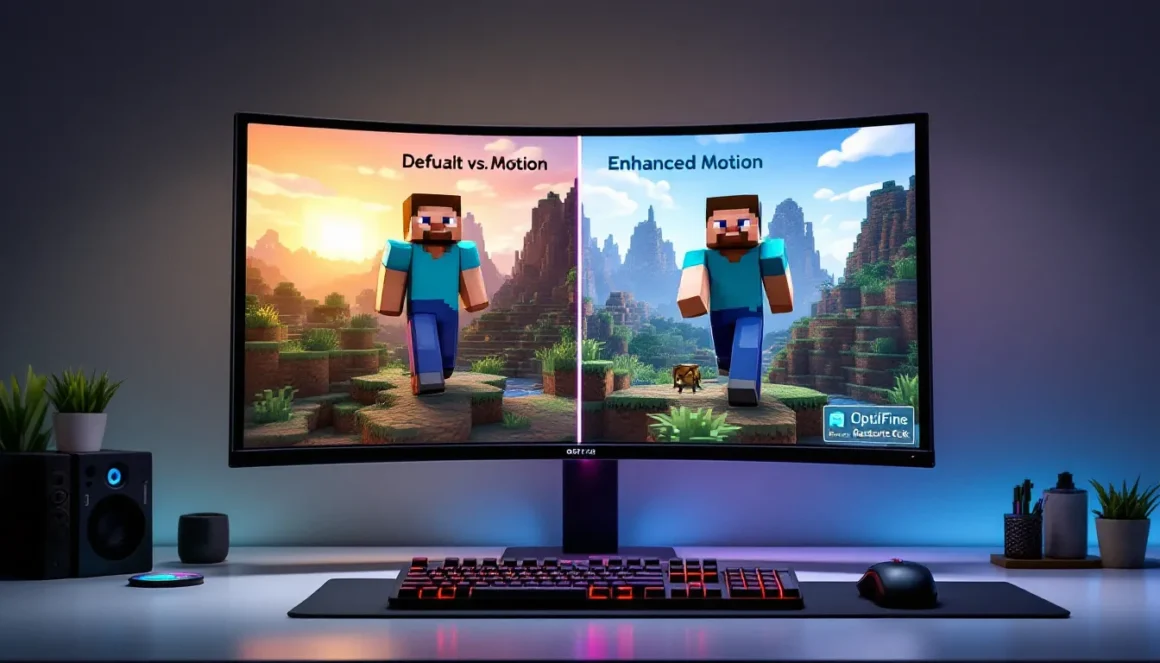
Minecraft‘s blocky aesthetic is iconic, but after hundreds or thousands of hours, those stiff character movements and repetitive mob animations can start to feel stale. That’s where fresh animations come in, a suite of resource packs and modifications that inject fluid, dynamic motion into every corner of the game. Instead of the default T-pose walk cycle and static sword swings, fresh animations bring realistic arm movements, expressive player poses, and creatures that actually look alive. Whether you’re building cinematic machinimas, streaming your survival world, or just want your character to look less robotic when mining, fresh animations are one of the most impactful visual upgrades you can make without touching a single shader. In this guide, we’ll break down exactly what fresh animations are, how to install them across Java and Bedrock editions, which packs dominate in 2026, and how to troubleshoot the most common hiccups.
Key Takeaways
- Fresh animations are resource packs that replace Minecraft’s default animations with fluid, dynamic motion for players, mobs, and items—all without requiring mods or altering gameplay mechanics.
- Installing fresh animations on Java Edition requires OptiFine or Fabric alternatives like EMF and ETF, while Bedrock Edition has limited animation support with less sophisticated motion cycles.
- Fresh animations significantly improve visual immersion, combat feedback, and movement cues, making navigation feel more responsive and attacks easier to read in PvP scenarios.
- FreshLX remains the gold standard fresh animations pack in 2026, with Epic Fight dominating for combat enthusiasts and Better Animations Collection offering flexible customization options.
- Expect a 5-15% FPS impact on mid-range hardware; optimize performance by lowering entity render distance, disabling unnecessary mob animations, or using Sodium with Iris instead of OptiFine.
- Fresh animations work with most texture packs and shaders, but version compatibility and resource pack load order are critical to avoid missing models, purple textures, or flickering entities.
What Are Fresh Animations in Minecraft?
Fresh animations refer to resource packs, and sometimes mods, that replace or enhance Minecraft’s default animation system. Out of the box, Minecraft uses a limited set of keyframe animations for player actions, mob behaviors, and item handling. Your character’s arms swing in a fixed arc, mobs walk with minimal joint articulation, and most actions like eating or drinking use the same generic hand motion.
Fresh Animations (capital F, capital A) is both a specific, popular resource pack created by FreshLX and a broader term the community uses for any animation overhaul. The FreshLX pack uses OptiFine’s Custom Entity Models (CEM) feature to add new bone structures and animation cycles to players, mobs, and items. This means your character can have shoulder rotation, elbow bends, and knee flexion, all without changing Minecraft’s core gameplay or requiring a mod loader like Forge or Fabric in most cases.
The key distinction: resource packs modify visuals only and are client-side, meaning you can use them on any server without permission. Mods like the minecraft animation mod options can go further, adding custom skeletons or scripted sequences, but they require server-side support and often aren’t compatible with vanilla multiplayer.
Fresh animations don’t alter hitboxes, mob AI, or game mechanics. They’re purely cosmetic, but the impact on immersion is massive. Once you see a zombie with a lurching, asymmetrical walk or your own character’s arms moving naturally while sprinting, it’s hard to go back.
Why Fresh Animations Are a Game-Changer for Minecraft Players
Enhanced Visual Immersion and Realism
Minecraft’s charm lies in its simplicity, but after years of updates and graphical mods, that charm can clash with high-resolution texture packs and ray-traced shaders. Fresh animations bridge the gap. When your character model moves fluidly, arms swinging naturally, head turning slightly during strafing, legs bending on uneven terrain, the entire world feels more cohesive.
For builders and screenshot enthusiasts, fresh animations turn static scenes into dynamic moments. A character sitting on a custom chair, leaning forward while fishing, or crouching with a realistic spine curve adds storytelling depth. Content creators on YouTube and Twitch see immediate benefits: viewers are less distracted by robotic movement, and cinematic shots feel polished without needing complex camera mods or post-processing.
The realism doesn’t break Minecraft’s aesthetic. Good animation packs respect the blocky silhouette while adding secondary motion, a slight head bob, fingers curling around a pickaxe, or a cape that flows with momentum. It’s the difference between a static action figure and a poseable model.
Improved Combat and Movement Feedback
Combat in Minecraft, especially post-1.9 with attack cooldowns, relies heavily on timing and visual cues. Default animations give you a basic sword swing and a brief red flash on hit. Fresh animations amplify feedback. Sword slashes gain follow-through arcs, bow draws show actual string tension, and shield blocks include a defensive stance with weight shift.
This isn’t just eye candy, it’s functional. When your character’s arm telegraphs a swing with a windup, you internalize the attack rhythm faster. PvP players report that opponents with fresh animations are easier to read because the exaggerated motions make attack patterns clearer. It’s a subtle edge, but in high-stakes duels, every frame counts.
Movement also gets a boost. Sprinting includes a forward lean, swimming shows arm strokes instead of a static glide, and elytra flight gains wing flaps and body tilt. These cues make navigation feel responsive. You’re not just pressing W, you’re watching your character react to terrain, momentum, and action inputs. For parkour maps or speedrunning, that visual feedback loop sharpens your sense of timing and spatial awareness.
How to Install Fresh Animations Resource Pack
Step-by-Step Installation for Java Edition
Java Edition installation is straightforward but requires OptiFine or a compatible alternative like EMF (Entity Model Features) with Fabric. Here’s the cleanest method as of Minecraft 1.20.x and 1.21.x:
- Download OptiFine for your Minecraft version from the official OptiFine site. Run the .jar installer and select “Install.”
- Launch Minecraft using the OptiFine profile in the Minecraft Launcher. Verify it loads correctly before proceeding.
- Download the Fresh Animations pack from Nexus Mods, CurseForge, or the creator’s official page. Make sure the pack version matches your Minecraft version (e.g., Fresh Animations 1.20.4).
- Move the .zip file (do NOT unzip it) into your
resourcepacksfolder. On Windows, pressWin + R, type%appdata%/.minecraft/resourcepacks, and hit Enter. On Mac, it’s~/Library/Application Support/minecraft/resourcepacks. - Open Minecraft, go to Options > Resource Packs, and move Fresh Animations from “Available” to “Selected” by clicking the arrow.
- Click Done. The pack will load, and you should see a confirmation message. If textures look broken, restart Minecraft.
Pro tip: If you’re using Fabric instead of Forge, install the Entity Texture Features (ETF) and Entity Model Features (EMF) mods. They replicate OptiFine’s CEM system without needing OptiFine itself, which is handy for modpack compatibility.
Installing on Bedrock Edition
Bedrock Edition (Windows 10, Xbox, PlayStation, Switch, Mobile) has more limited animation support because it lacks OptiFine. But, some creators port fresh animations using Bedrock’s entity behavior packs or simplified resource packs. The trade-off: fewer features and less polish.
- Download a Bedrock-compatible animation pack. Look for
.mcpackor.mcaddonfile types. Not all Java packs have Bedrock versions, so check descriptions carefully. - Open the .mcpack file. On PC, double-click it and Minecraft will import it automatically. On mobile, open the file with Minecraft from your file manager. On console, you may need to transfer files via Realms or external storage, check platform-specific guides on How-To Geek for detailed steps.
- Launch Minecraft Bedrock, create or load a world, and go to Settings > Global Resources (for resource packs) or Behavior Packs (if the pack requires scripts).
- Activate the pack and restart the world.
Caveat: Bedrock animations are often less sophisticated due to engine limitations. Expect simpler motion cycles and fewer custom models. For the full experience, Java Edition is the way to go.
Key Features of Fresh Animations Pack
Player Movement and Action Animations
The FreshLX pack overhauls player animations with dozens of new cycles. Walking gains arm swing variation and subtle torso rotation. Sprinting includes a forward lean and faster arm pumps. Sneaking shows a lowered posture with bent knees, and swimming animates actual arm strokes and leg kicks instead of the default rigid glide.
Sitting is a standout feature. When you sit on stairs, slabs, or custom furniture, your character’s legs dangle or fold naturally. Sleeping shows your character lying on their side with one arm tucked under the head. Elytra flight includes wing flaps, banking turns, and a streamlined body pose that changes based on velocity and pitch.
Action-specific animations cover eating (visible chewing, hand-to-mouth motion), drinking (tilted head, bottle tilt), blocking with a shield (defensive stance, weight shift), and drawing a bow (string tension, shoulder rotation). Even idle animations get love, your character might adjust their grip on a tool or shift weight from one foot to the other after standing still for a few seconds.
Mob and Creature Animation Overhauls
Fresh animations don’t stop at the player model. Hostile and passive mobs receive new skeletons and movement cycles. Zombies lurch asymmetrically, with one arm dragging lower than the other. Skeletons draw their bows with visible string pull and have a slight spine curve when aiming. Creepers sway side to side while walking, making their approach more menacing.
Passive mobs get personality boosts. Cows have a slow, plodding gait with head bobbing. Pigs trot with a bouncy rhythm. Chickens peck at the ground during idle states, and horses show muscle flex in their legs during gallops. Wolves and cats gain expressive tails that wag or flick based on mood (tamed vs. wild).
Boss mobs like the Ender Dragon and Wither have enhanced flight and attack animations, though pack support varies. Some community variants focus exclusively on hostile mobs for PvE-heavy playstyles.
Item and Tool Animations
Items in hand receive custom hold poses and usage animations. Pickaxes, axes, and shovels are gripped with two hands during swings, with visible recoil on impact. Swords have flourish idle animations, your character might twirl the blade or rest it on their shoulder.
Shields are held in a ready position, blocking your left side of the screen slightly (aesthetic only, hitboxes unchanged). Food items are brought to the mouth with a cupped hand. Potions are held at an angle, and ender pearls or snowballs show a winding throw animation before release.
Some packs include off-hand animations where the left hand moves independently for dual-wielding or torch holding. This level of detail makes inventory management feel more tactile, especially in survival mode when you’re constantly switching tools.
Best Fresh Animations Packs to Download in 2026
1. Fresh Animations by FreshLX (v1.9+)
The OG and still the gold standard. FreshLX’s pack covers players, mobs, and items with smooth, vanilla-respectful animations. Updated regularly for the latest Minecraft versions (1.20.4, 1.21.x as of March 2026). Requires OptiFine or EMF. Available on CurseForge and FreshLX’s official page.
2. Epic Fight Animations
Geared toward combat enthusiasts, this pack (often paired with the Epic Fight mod) adds Dark Souls-inspired attack combos, dodge rolls, and parry animations. Heavier on system resources but unmatched for PvP and adventure maps. Compatible with Forge and Fabric via the Epic Fight mod. Not purely a resource pack, requires mod installation.
3. Better Animations Collection (BAC2)
A modular pack that lets you pick and choose which animations to enable, players only, mobs only, or items only. Great for performance tuning or personal preference. Slightly less polished than FreshLX but more flexible. Works with OptiFine CEM.
4. Animated Player by MFMBarber
Focuses exclusively on player animations with over 50 unique cycles, including sitting, lying down, waving, and custom emotes. Popular with roleplayers and machinima creators. Requires OptiFine.
5. Entity Animation Overhaul (EAO)
A lightweight alternative that animates mobs without touching player models. Ideal if you want creature realism but prefer vanilla player movement. Lower FPS impact than full packs. Compatible with shaders and texture packs.
For 2026, Fresh Animations by FreshLX remains the go-to for most players due to active development, broad compatibility, and balanced performance. Epic Fight is the choice for combat-focused builds, while BAC2 and Animated Player shine for customization nerds.
Compatibility: What You Need to Know
Minecraft Version Requirements
Fresh animations are version-specific. A pack built for Minecraft 1.19.4 won’t work on 1.20.1 without an update because entity models and animation hooks change between versions. Always check the pack’s supported version list before downloading.
As of March 2026, most popular packs support Minecraft 1.20.4 and 1.21.x (the latest stable release). If you’re playing on older versions like 1.16.5 or 1.12.2 for modpack reasons, archived versions of Fresh Animations exist but may lack newer features. Community-maintained packs on Twinfinite often include version compatibility charts.
Snapshot and pre-release support varies. Bleeding-edge players should expect delays, pack creators typically wait for full releases before updating.
OptiFine and Shader Compatibility
OptiFine is the backbone for Java Edition fresh animations because it enables Custom Entity Models (CEM). But, OptiFine has known conflicts:
- Sodium (performance mod): Not compatible with OptiFine by default. Use Iris Shaders + EMF (Entity Model Features) + ETF (Entity Texture Features) as a Fabric alternative. This combo replicates OptiFine’s CEM and CTM features while maintaining Sodium’s FPS boost.
- Shaders: Most shader packs (BSL, Complementary, Continuum) work with fresh animations, but shadow rendering on custom models can glitch. Player shadows might detach from the body or mob shadows flicker. Test your shader + animation combo: some creators provide compatibility patches.
Forge vs. Fabric: Fresh animations are resource packs, so they work on both loaders as long as you have OptiFine (Forge) or EMF/ETF (Fabric). Mod-based animation systems like Epic Fight require specific loaders, check each pack’s requirements.
Bedrock limitations: No OptiFine equivalent exists. Animation support is patchy and relies on behavior packs, which servers often block. Java Edition is strongly recommended for the full experience.
Performance Considerations and Optimization Tips
Fresh animations add rendering overhead, especially for complex mob models and player animations. Here’s how to keep your FPS stable:
Frame rate impact: Expect a 5-15% FPS drop with full animation packs on mid-range hardware (GTX 1660, Ryzen 5 3600 equivalent). High-end rigs (RTX 4060+, modern i7/Ryzen 7) handle it easily, but potato PCs will struggle.
Optimization checklist:
- Lower entity render distance in OptiFine settings. Animations only apply to rendered entities, so reducing this from 100% to 70% cuts processing load.
- Disable mob animations if you only care about player movement. Most packs allow selective toggling via resource pack options or separate files.
- Use Sodium + Iris + EMF on Fabric instead of OptiFine. Sodium’s optimized rendering often outperforms OptiFine even with animations enabled.
- Turn off shaders or use lightweight packs like Sildur’s Enhanced Default. Shadow and reflection calculations on custom models are FPS killers.
- Allocate more RAM to Minecraft. 4GB minimum for animation packs, 6-8GB if you’re running shaders too. Set this in launcher JVM arguments:
-Xmx6G. - Close background apps. Discord, browsers, and streaming software eat resources. Fresh animations are CPU-intensive due to bone calculations.
Modpack considerations: If you’re running 100+ mods, animation packs may cause stuttering during mob spawns or chunk loading. Use Lazy DFU and FerriteCore (Fabric) or AI Improvements (Forge) to reduce overhead.
Benchmark before committing: Load a creative world, spawn 50+ mobs, and check FPS with F3. If you drop below 30 FPS, scale back animation features or upgrade hardware.
Troubleshooting Common Fresh Animations Issues
Animations not showing / models are invisible
Most common cause: missing OptiFine or wrong Minecraft version. Verify OptiFine is installed and matches your game version (e.g., OptiFine 1.20.4 for Minecraft 1.20.4). If using Fabric, ensure EMF and ETF are both installed, EMF alone won’t render textures.
Check resource pack order: Fresh animations must load after base texture packs. Drag it to the top of your active packs list in the resource pack menu.
Purple/black textures on models
Texture path error. Re-download the pack, corrupted zips cause this. Don’t unzip the file: Minecraft reads .zip directly. If you edited files manually, you likely broke file structure.
Mobs flickering or T-posing
Conflicting resource packs. Another pack is overriding entity models. Disable other packs one by one to isolate the culprit. Some texture packs (especially mob retextures) include their own models that clash.
Alternatively, outdated pack version. Fresh Animations v1.8 won’t work properly on Minecraft 1.21, grab the latest version.
Player arms stuck in weird positions
Shader conflict or CEM cache issue. Disable shaders temporarily to test. If that fixes it, lower shader entity shadow quality or switch shader packs. To clear cache: close Minecraft, delete the shaderpacks cache folder in .minecraft, and reload.
FPS drops to slideshow levels
Too many animated entities rendered at once. Lower entity render distance or disable mob animations. Check if another mod is spawning excessive entities (mob farms, modded biomes). Use Spark profiler to identify performance bottlenecks.
Animations lag behind actions (input delay feel)
Not true input lag, it’s animation interpolation. Some packs smooth movements over multiple frames, creating a slight visual delay. You can’t disable this without editing pack files (not recommended). If it’s unbearable, try a different pack with snappier keyframes like Better Animations Collection.
Server kicks / “Invalid player model” errors
Server-side anticheat or model validation is triggered by custom models. This is rare with resource packs (they’re client-only) but can happen with mod-based animation systems. Vanilla/Spigot/Paper servers ignore client resource packs, so this indicates you’re using a mod, not a pack. Check server rules, some block Epic Fight or other animation mods.
Customizing and Combining Fresh Animations with Other Packs
Fresh animations are modular by nature, letting you mix and match with texture packs, shaders, and even other animation packs, if you know what you’re doing.
Layering texture packs: Place your texture pack (e.g., Faithful, Mizuno’s) below Fresh Animations in the resource pack menu. Animations will apply to the retextured models. If textures break, the texture pack might include conflicting entity models, look for a “no CEM” or “animation-compatible” version.
Combining animation packs: Possible but risky. If two packs animate the same entity (e.g., both change zombie walking), the top pack overrides the bottom. You can manually merge packs by copying animation files from one .zip into another, but this requires understanding JSON structure and file paths. For most players, this isn’t worth the hassle.
Shader integration: Fresh animations work with nearly all shader packs (BSL, Complementary Reimagined, SEUS PTGI, Continuum RT). But, entity shadows and lighting on custom models can glitch. Test in creative mode first. Some shader creators include CEM-specific shadow fixes in their settings, enable “Entity Shadow Rendering” or similar options.
Custom animation editing: Advanced users can edit the pack’s .json animation files using a text editor or tools like Blockbench. You can adjust animation speed, keyframes, and bone rotations. For example, if the sitting animation is too low, increase Y-axis values. Back up the original pack before editing.
Roleplaying and machinima combos: Pair Fresh Animations with Emotecraft or Figura mods for custom emotes and poses. These mods add keybinds for waving, sitting, or lying down on command. Combined with animation packs, you get movie-grade character control.
Performance layering: Want animations but can’t afford the FPS hit? Use a stripped-down pack (player animations only) with a lightweight shader (Sildur’s Enhanced Default) and a low-res texture pack (Faithful 32x). This keeps the visual upgrade without tanking performance.
Conclusion
Fresh animations transform Minecraft from a charming but stiff sandbox into a dynamic, expressive world without sacrificing the blocky aesthetic that makes the game iconic. Whether you’re grinding survival, building cinematic worlds, or dominating PvP, the added visual feedback and immersion make every action feel intentional and alive. Installation is simple on Java Edition with OptiFine or Fabric alternatives, and the performance cost is manageable with basic optimization. The 2026 meta favors FreshLX’s pack for all-around quality, but specialized options like Epic Fight and Better Animations Collection cater to specific playstyles. Compatibility hurdles exist, version mismatches, shader conflicts, Bedrock limitations, but troubleshooting is straightforward once you know the common pitfalls. As Minecraft continues evolving with updates like 1.21 and beyond, animation packs will remain a cornerstone of the modding scene, breathing new life into a game that refuses to age. If you haven’t tried fresh animations yet, now’s the time. Your blocky avatar will thank you.