
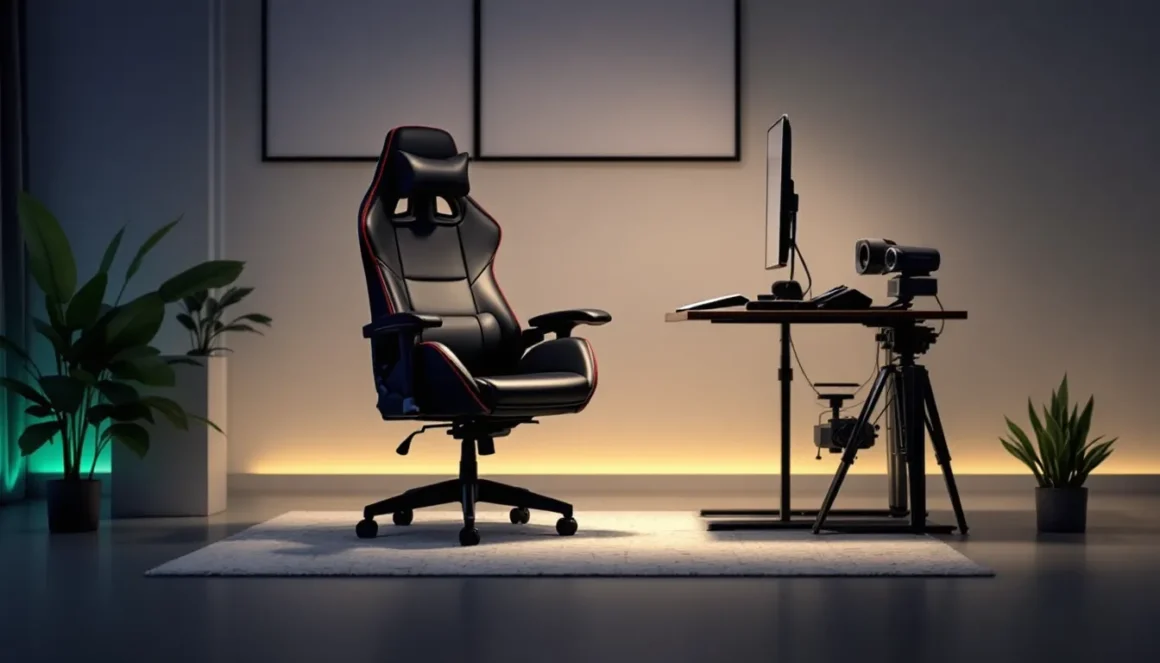
You’ve just wrapped a brutal eight-hour ranked grind, and your back feels like it’s been through a boss fight. Sound familiar? The chair beneath you matters more than most gamers realize, it’s not just about looking good on stream. A leather gaming chair can be the difference between maintaining peak performance and tapping out early because your spine’s screaming for mercy.
But here’s where it gets tricky: leather chairs range from budget models that peel after six months to premium thrones that’ll outlast your current GPU. The market’s flooded with options claiming to be the ultimate setup upgrade, and separating genuine quality from marketing hype requires knowing exactly what you’re looking for. Material type, build quality, ergonomic features, they all matter when you’re spending hundreds of dollars on something you’ll use daily.
This guide cuts through the noise. Whether you’re a competitive player who needs every advantage or a casual gamer building a setup that doesn’t look like a dorm room, you’ll learn what actually makes a leather gaming chair worth buying in 2026, how to spot the red flags, and which features deliver real value versus empty promises.
Key Takeaways
- A leather gaming chair combines ergonomic design with premium durability, but genuine leather requires regular conditioning while quality PU leather offers a budget-friendly alternative lasting 3-5 years with proper care.
- Essential features like adjustable lumbar support, 4D armrests, proper weight capacity, and a recline mechanism of at least 135 degrees directly impact comfort during extended gaming sessions and prevent long-term back issues.
- Mid-range leather gaming chairs ($300-$600) offer the best value, delivering significantly better materials and construction than budget models while avoiding the premium price tag of genuine leather options.
- Avoid common buying mistakes such as prioritizing aesthetics over ergonomics, ignoring body measurements, and assuming “leather” marketing guarantees quality—always verify material type and check long-term user reviews before purchasing.
- Proper maintenance is critical: PU leather needs monthly conditioning and spill management, while genuine leather requires bi-weekly care and climate control to prevent cracking and extend the chair’s 7-10 year lifespan.
- Leather gaming chairs provide superior ease of cleaning, temperature adaptation, and visual aging compared to fabric and mesh alternatives, making them ideal for temperature-controlled environments and gamers who prioritize premium aesthetics.
What Is a Leather Gaming Chair and Why Choose One?
A leather gaming chair is exactly what it sounds like, a gaming-focused seat upholstered in either genuine or synthetic leather materials, designed with ergonomic features tailored for extended use. Unlike standard office chairs, these typically feature racing-style bucket seats, aggressive bolstering, and adjustability options that support the kind of posture gamers actually use during intense sessions.
The appeal goes beyond aesthetics. Leather offers unique properties that fabric and mesh alternatives can’t match: it’s easier to clean after snack accidents, feels more premium under your hands and legs, and holds up differently over time. It’s also cooler in the literal sense, leather doesn’t trap heat the same way fabric does, which matters during summer or if your PC doubles as a space heater.
That said, not all leather is created equal. Understanding the material difference is critical before you drop cash on what looks like a premium chair.
Real Leather vs. Faux Leather: Understanding the Difference
Genuine leather (usually top-grain or full-grain) comes from actual animal hide. It’s the premium option, more breathable, develops a patina over time, and feels legitimately luxurious. The downside? Cost. Real leather chairs typically start around $500 and climb north of $1,000 for top-tier models. They also require more maintenance to prevent drying and cracking.
Faux leather (PU leather or polyurethane) is synthetic material designed to mimic the look and feel of real leather. It’s what you’ll find on most gaming chairs under $400. Modern PU leather has come a long way, quality versions are surprisingly durable and comfortable. The catch is longevity: cheaper faux leather starts peeling or flaking after 12-18 months of heavy use, especially in high-friction areas like armrests and seat edges.
Some manufacturers use PVC leather (vinyl), which is even cheaper but tends to feel plasticky and trap more heat. If a chair’s marketing copy says “leather” without specifying type, it’s almost certainly PU or PVC.
The bottom line: genuine leather is the long-term investment if you can afford it. Quality faux leather is perfectly viable for most gamers, but skip anything that won’t specify its material composition, that’s usually a red flag for bottom-tier PVC that’ll disappoint within a year.
Key Benefits of Leather Gaming Chairs for Gamers
Leather gaming chairs aren’t just about flexing on stream, they deliver tangible advantages that impact your daily gaming experience. Here’s why gamers consistently choose leather over alternatives.
Superior Comfort for Extended Gaming Sessions
Comfort during hour six of a session is wildly different from comfort during hour one. Leather’s surface texture provides just enough grip to prevent sliding without the sticky feeling you get with some fabrics. It conforms to your body temperature relatively quickly, which means less of that initial cold shock when you sit down.
The padding beneath the leather matters just as much. Quality leather chairs typically use cold-cure foam or high-density molded foam that maintains its shape longer than the cheap stuff. This prevents the dreaded “bottoming out” where you’re basically sitting on the chair’s frame after a few months. Competitive players and streamers who log 40+ hour weeks notice the difference immediately.
Another underrated factor: leather doesn’t develop odors the way fabric does. After thousands of hours, fabric chairs can start smelling musty even with regular cleaning. Leather just needs an occasional wipe-down to stay fresh.
Durability and Longevity That Justifies the Investment
A well-constructed leather gaming chair should outlast multiple GPU upgrades. Genuine leather, when properly maintained, can easily deliver 7-10 years of daily use. Even quality faux leather typically hits 3-5 years before showing significant wear, compare that to mesh chairs that can start sagging within 18 months.
The durability advantage extends beyond the upholstery. Chairs designed around leather materials often feature better overall construction: steel frames instead of plastic, Class 4 gas lifts rated for 100,000+ cycles, and heavy-duty casters that won’t crack under load. Manufacturers know they’re targeting buyers willing to invest, so they tend to spec better components throughout.
That said, durability depends heavily on proper care. A leather chair that’s never cleaned or conditioned will crack and peel faster than a well-maintained fabric alternative. More on that later.
Premium Aesthetics for Your Gaming Setup
Let’s be honest, looks matter. A leather gaming chair instantly elevates your setup’s visual appeal. Whether you’re streaming, recording content, or just want your space to feel less like a teenager’s bedroom, leather delivers that premium presence.
This isn’t shallow reasoning. If you’re building a setup where aesthetics contribute to your brand or just your personal satisfaction with the space, the chair is one of the most visible components. It’s in every camera shot, every photo, every time someone walks into your room. Many pro players featured in gaming setup guides prioritize gear that looks as good as it performs, that’s not vanity, it’s brand consistency.
Leather also ages more gracefully than fabric. A three-year-old fabric chair looks worn. A three-year-old leather chair looks broken in. That patina effect is especially pronounced with genuine leather, which develops character marks that actually enhance its appearance rather than making it look tired.
Essential Features to Look for in a Leather Gaming Chair
Material alone doesn’t make a great gaming chair. The feature set determines whether you’re getting a legitimate ergonomic tool or an overpriced prop. Here’s what actually matters.
Ergonomic Design and Lumbar Support
Lumbar support isn’t negotiable, it’s the difference between maintaining neutral spine alignment and developing chronic lower back issues. Look for chairs with adjustable lumbar support (either built-in mechanisms or removable pillows) that you can position exactly where your lower back curves.
Some 2026 models feature dynamic lumbar systems that adjust automatically as you recline, maintaining support through different positions. These are worth the premium if you frequently switch between upright competitive posture and relaxed exploration mode.
Neck and head support matters for taller gamers (over 5’10”). Integrated headrests should reach the natural curve of your cervical spine without forcing your head forward. Many chairs still use the pillow approach, which looks good but slides around during actual use. Fixed, adjustable headrests are superior.
The seat pan depth is criminally overlooked. If you’re short, a deep seat pan means the edge digs into your knees. If you’re tall, a shallow pan means your thighs hang off the edge. Adjustable seat pan depth (sliding the seat forward or back) solves this but adds cost, it’s a feature mostly found in premium models.
Adjustability Options: Armrests, Height, and Recline
Adjustability separates good chairs from great ones. At minimum, you need:
-
4D armrests: Up/down, forward/back, width adjustment, and rotation. This lets you position armrests so your shoulders stay relaxed whether you’re on mouse and keyboard, controller, or just browsing. 2D or 3D armrests are acceptable budget compromises, but you’ll notice the limitations.
-
Height adjustment range: The gas lift should offer enough range to position your feet flat with thighs parallel to the ground. Specs should list minimum and maximum seat height, compare these against your desk height and leg length.
-
Recline mechanism: Look for chairs that recline to at least 135 degrees with lockable positions every 5-10 degrees. Some 2026 models hit 165 degrees for full horizontal relaxation between matches. The recline should be smooth with adjustable tension, cheaper mechanisms either lock rigid or feel loose and uncontrollable.
-
Tilt lock and tension: The ability to lock the chair upright or enable rocking motion with adjustable resistance. Essential if you shift between focused gameplay and casual browsing throughout a session.
Weight Capacity and Build Quality
Manufacturers love to inflate weight capacity numbers, but it’s still a useful baseline. Most leather gaming chairs claim 250-300 lbs capacity. If you’re heavier, look for models explicitly rated for 350-400 lbs, these use reinforced frames and heavier-duty components throughout.
Frame construction should be steel, not plastic. High-quality chairs use one-piece steel frames: budget models use multiple pieces bolted together, which develop wobble over time. This isn’t always obvious from product descriptions, you’ll need to check reviews or inspect in person.
Base and casters: The five-star base should be aluminum or reinforced nylon (not basic plastic). Casters should be polyurethane (PU) for hard floors or rubberized for carpet. Some 2026 models include dual-type casters that work on both surfaces, a nice quality-of-life upgrade.
Check the gas lift class rating: Class 3 is minimum acceptable, Class 4 is standard for quality chairs. This impacts both safety and longevity. A Class 4 lift typically handles 100,000+ adjustment cycles before losing pressure.
Top Leather Gaming Chairs in 2026: What Stands Out
The leather gaming chair market has matured significantly. Here’s what’s actually worth considering across different price brackets as of early 2026.
Budget-Friendly Leather Gaming Chair Options
The under-$250 segment is dominated by PU leather models from brands like GTRacing, Homall, and Devoko. These won’t blow you away, but recent iterations have improved significantly from the peeling disasters of years past.
What to expect: Basic 2D or 3D armrests, recline to about 135 degrees, steel frames (though not always one-piece), and PU leather that’ll last 2-3 years with care. Weight capacities cluster around 250-275 lbs.
The reality check: At this price point, you’re making compromises. Lumbar and neck support will be pillow-based (functional but not ideal). Build quality feels noticeably cheaper, more plastic components, louder adjustment mechanisms, less refined stitching.
Best approach: If budget is tight, prioritize reviews mentioning material durability over feature lists. A chair with fewer features but better PU leather will serve you longer than one with 4D armrests and leather that peels in ten months.
Mid-Range Picks for the Best Value
The $300-$600 sweet spot offers the best performance-per-dollar. Brands like Secretlab (their Titan Evo with NEO Hybrid Leatherette), Corsair, and AndaSeat deliver significantly better materials and construction.
Secretlab Titan Evo remains the benchmark here, their 2026 refresh uses improved NEO Hybrid Leatherette that’s genuinely resistant to peeling, integrated lumbar support with magnetic adjustability, and 4D armrests. It’s optimized for specific height ranges (Small/Regular/XL), which matters more than generic one-size-fits-all approaches. Street price typically runs $450-$550 depending on model and sales.
AndaSeat Kaiser 3 competes directly with better genuine leather options in this range (their Premium Leather variant). It includes adjustable lumbar, 4D armrests, wider seat pan, and a recline to 160 degrees. For larger gamers, this beats most alternatives under $600.
What makes mid-range worth it: You’re getting materials that’ll genuinely last 4-6 years, significantly better ergonomics, and build quality that feels solid instead of creaky. The adjustment mechanisms are smoother and more durable. If you game 15+ hours weekly, this is the minimum investment that makes sense long-term.
Premium Leather Gaming Chairs for Serious Gamers
Above $600, you’re entering territory where genuine leather becomes standard and features approach office chair levels of sophistication. This is where the line between “gaming chair” and “executive chair with gaming aesthetics” blurs.
Herman Miller x Logitech Embody ($1,800-$2,000) isn’t leather, but it’s worth mentioning as the premium benchmark. But, for actual leather in premium territory, the Noble Hero series and Vertagear PL6000 deliver genuine leather upholstery with gaming-specific features.
The Noblechairs Hero (Real Leather) runs around $850-$900, using cold-cure foam, genuine Nappa leather, and a build quality that’ll outlast most setups. It’s what many professional esports players use when sponsors aren’t dictating chair choice, that’s not coincidental.
Is premium worth it? If you’re logging 30+ hours weekly, dealing with existing back issues, or simply want the best, yes. The comfort difference during hour eight of a session is substantial. You’re also buying longevity: a $900 chair lasting 8 years costs less annually than replacing a $300 chair every 2-3 years.
The caveat: Premium doesn’t fix poor ergonomics elsewhere. If your desk height is wrong or your monitor positioning is off, an expensive chair won’t save you. Fix the whole setup, not just one component.
Caring for Your Leather Gaming Chair: Maintenance Tips
A leather gaming chair is an investment that requires actual care. Skip maintenance and even premium chairs will crack, peel, or discolor within a couple years. Do it right and you’ll extend usable life significantly.
Cleaning and Conditioning Leather Surfaces
For PU/faux leather: Wipe down weekly with a slightly damp microfiber cloth to remove dust, skin oils, and surface grime. For deeper cleaning, use a mild soap solution (few drops of dish soap in water), never harsh chemicals or alcohol-based cleaners, which break down PU leather’s protective coating.
Every 3-4 months, apply a vinyl/PU conditioner designed for synthetic leather. This maintains the material’s suppleness and protective layer. Products like Chemical Guys leather conditioner work well, apply thin coat, let absorb 10 minutes, buff excess. Don’t over-condition: once per quarter is plenty.
For genuine leather: Similar weekly wipe-downs, but use cleaners specifically formulated for real leather. A dedicated leather cleaner (like Lexol) every month prevents buildup that dulls appearance. Follow immediately with leather conditioner to replace natural oils.
Genuine leather needs conditioning more frequently, every 6-8 weeks minimum, monthly if you’re in dry climate or running AC/heating constantly. This prevents the material from drying out and cracking.
Stain management: Act fast. For liquid spills, blot (don’t rub) immediately with absorbent cloth. For PU leather, mild soap usually handles it. For genuine leather, use saddle soap for tough stains. Ink and permanent marker often require professional treatment, household remedies usually make it worse.
Preventing Cracks, Peeling, and Wear Over Time
Temperature and humidity matter more than most realize. Leather (especially genuine) hates extreme dryness. If your room drops below 30% humidity regularly, consider a humidifier, it’ll benefit your skin and peripherals too. Conversely, excessive humidity (above 70%) can promote mold on genuine leather.
Direct sunlight is leather’s enemy. UV rays dry out and discolor both real and faux leather. Position your chair away from windows, or use curtains/blinds during peak sun hours. This single factor causes more premature aging than anything else.
Avoid sharp objects and pets. Obvious but worth stating, cat claws and leather chairs don’t coexist. If you have pets, either train them away from the chair or accept that you’re buying a fabric/mesh alternative.
Use armrest covers in high-wear areas. Armrests take the most abuse from constant contact. Aftermarket armrest covers (cloth or gel) protect the leather underneath. Yes, it reduces the premium feel, but it extends armrest life from 2 years to 5+.
Don’t over-tighten during assembly. When you first build the chair, snug the bolts but don’t crank them down. Over-tightening stresses stitching and can cause premature tearing at seams. Check and slightly re-tighten after the first month as materials settle.
Common Mistakes to Avoid When Buying a Leather Gaming Chair
Gamers consistently make the same errors when chair shopping. Skip these pitfalls and you’ll actually get what you’re paying for.
Mistake 1: Prioritizing aesthetics over ergonomics. That all-black racing chair with LED strips looks sick, but if it doesn’t fit your body dimensions or lacks adjustable lumbar support, you’ll regret it by month two. Function first, looks second.
Mistake 2: Ignoring body measurements. Gaming chairs aren’t universal. If you’re 5’6″, that chair designed for 6’2″ users will have the lumbar support hitting your mid-back and the headrest floating above you. Check manufacturer height and weight recommendations, they exist for a reason.
Mistake 3: Assuming “leather” means quality. Marketing teams love that word. Cheap PVC with “leather” in the description is still cheap PVC. Demand specifics: Is it PU leather? What grade? Is it genuine leather? Top-grain or split-grain? If specs don’t clarify, that’s a red flag.
Mistake 4: Skipping assembly reviews. Some chairs arrive in 47 pieces with instructions that look like IKEA’s fever dream. Check reviews mentioning assembly difficulty. If multiple people report missing parts, damaged components on arrival, or unclear instructions, consider alternatives, dealing with manufacturers about missing bolts is a headache you don’t need.
Mistake 5: Overlooking return policies and warranties. Chairs are difficult to assess from specs alone, you need to actually sit in them. Buy from retailers with reasonable return windows (30 days minimum). Warranty should be at least 2 years on frame and mechanisms. Lifetime warranties sound great but often exclude “wear items” (which mysteriously includes everything that actually wears out).
Mistake 6: Believing the hype around “racing style” as inherently better. Racing seats are designed for cars where you’re strapped in and experiencing G-forces. You’re sitting at a desk clicking heads, not drifting corners. Some of the most ergonomic gaming chairs are moving away from aggressive racing styling toward more refined designs, don’t let aesthetics override actual comfort testing.
Mistake 7: Buying without testing weight against desk height. Your chair’s maximum height needs to pair correctly with your desk. Standard desks are 28-30 inches high: if your chair’s maximum height still leaves you reaching up to your keyboard, that’s a recipe for shoulder strain. Measure first, buy second.
Mistake 8: Falling for fake discounts. That chair that’s “$799 on sale for $299” was never actually $799. Manufacturers inflate MSRPs to create artificial urgency. Check price history on sites like CamelCamelCamel for Amazon listings, you’ll often find that “massive discount” is actually the normal price.
Leather Gaming Chairs vs. Fabric and Mesh Alternatives
Material choice impacts more than just aesthetics. Here’s how leather stacks up against the main alternatives based on real-world performance.
Temperature management: Mesh wins for hot climates or warm-running setups. It’s the most breathable option, air flows through constantly, preventing sweat buildup. Quality leather (especially genuine) is decent here: it doesn’t trap heat like fabric but isn’t as actively cooling as mesh. Cheap PU leather and fabric both retain heat, though fabric’s worse since it absorbs moisture.
Durability and longevity: Genuine leather wins long-term, lasting 7-10 years with care. High-quality mesh (like Herman Miller’s) hits similar lifespans. Quality PU leather gets 3-5 years. Fabric depends heavily on grade, premium fabric rivals PU leather, but budget fabric pills, stains, and looks worn within 18 months.
Maintenance requirements: Leather demands more active care (regular conditioning), but it’s easier to clean spills. Fabric stains easily and absorbs odors over time, once a stain sets, it’s nearly permanent. Mesh falls in the middle: relatively low maintenance but can be tricky to deep-clean if something soaks through.
Comfort feel: This is subjective. Leather feels premium and temperature-adapts to your body. Fabric feels softer initially but compresses faster. Mesh feels least “luxurious” but provides consistent support that doesn’t change over time. Detailed comparisons in hardware buying guides often note that comfort priorities vary by user preference, someone who values plush feel will prefer leather or fabric: someone prioritizing support consistency will lean mesh.
Price for equivalent quality: Budget fabric is cheapest ($150-$250 for decent chairs). PU leather hits $250-$500. Quality mesh starts around $400. Genuine leather typically begins at $500 and climbs from there. For equivalent build quality and features, leather is typically 20-30% more expensive than fabric, while mesh is competitive with PU leather at mid-range.
Aesthetics and style flexibility: Leather looks most premium and ages best visually. Fabric offers the widest color/pattern options but shows wear more obviously. Mesh looks technical and modern but can appear “office-y” rather than gaming-focused.
Best use cases:
- Choose leather if you want premium aesthetics, easy spill cleanup, and don’t mind maintenance. Best for temperature-controlled environments and users who prioritize feel.
- Choose fabric if you want the softest initial feel, don’t eat/drink at your desk, and prefer variety in colors/patterns. Works well in any temperature.
- Choose mesh if breathability is top priority, you run hot, or you want minimal maintenance. Ideal for warm climates and people who sweat easily during intense sessions.
None is objectively “best”, they’re tools for different needs. The gaming chair industry’s leather obsession is partly marketing, but the material does deliver real advantages for users whose priorities align with its strengths.
How to Choose the Right Leather Gaming Chair for Your Needs
You’ve got the knowledge, now here’s the framework for actually making a decision that you won’t regret three months in.
Step 1: Establish your real budget. Not the “I’d like to spend” number, the “I can actually afford without regret” number. Include shipping (some chairs are heavy and hit you with $50+ charges) and any accessories (replacement casters, armrest covers, extended warranty).
Step 2: Measure your body and workspace. You need your height, weight, desk height from floor, and clearance under your desk (to ensure the chair fits underneath when not in use). Cross-reference these against manufacturer specifications, don’t assume “one size fits all” means it’ll actually fit you.
Step 3: Define your non-negotiables. Is 4D armrests mandatory? Do you need genuine leather specifically, or is quality PU acceptable? Must it recline past 150 degrees? Write down your top three must-have features. This prevents getting distracted by marketing for features you won’t actually use.
Step 4: Research specific models. Use your budget and must-have list to narrow to 3-5 specific chairs. Then deep-dive reviews, not just professional reviews (which often use chairs for a few days), but long-term user reviews from people at 6+ months of ownership. Reddit threads, YouTube reviews from smaller channels, and Amazon reviews filtered to “most critical” give you the real story.
Step 5: Check availability and return policies. Some models have weeks-long shipping times. Others are in-stock at local retailers where you can actually test them. Heavily prioritize options with generous return windows, yes, returning a chair is annoying, but less annoying than living with $400 worth of mistake for years.
Step 6: Decide between PU and genuine leather. If your budget supports it and you’re committed to maintenance, genuine leather is the superior long-term choice. If you’re budget-conscious or uncertain about regular conditioning, quality PU from reputable brands is perfectly viable, just ensure it specifically mentions improved PU formulations or anti-peeling technology.
Step 7: Consider your climate and environment. In hot, humid areas, even the best leather retains more heat than mesh. If you have pets, leather (especially real leather) will show scratches. If you’re in a dusty environment, leather’s easier to keep clean than fabric. Environmental factors matter as much as features.
Step 8: Factor in total cost of ownership. That $300 chair needing replacement in two years costs $150/year. A $600 chair lasting five years costs $120/year. The math often favors spending more initially if you’re confident you’ll actually stay put (not moving, changing setups, etc.).
Step 9: Test if remotely possible. Big box electronics stores, office supply chains, and gaming cafes sometimes carry popular models. Fifteen minutes in a chair tells you more than any review. If you can’t test in person, buy from retailers with easy returns and actually use that policy if needed.
Step 10: Don’t rush. Unless your current chair is literally falling apart, take your time. Watch for seasonal sales (Black Friday, Prime Day, back-to-school), especially on last year’s models when new versions drop. Patience can save 20-30% on the exact same chair.
Conclusion
The right leather gaming chair isn’t about chasing the most expensive model or the one with the most LEDs. It’s about matching material quality, ergonomic features, and build construction to your specific needs, body dimensions, and usage patterns.
If you’re gaming 20+ hours weekly, the chair matters as much as your GPU or monitor, it’s the interface between your body and your setup. Quality leather (whether genuine or well-made PU) delivers that premium feel, durability, and ease of maintenance that justifies the investment when you’re logging serious hours.
But it only works if you buy smart: prioritize fit and function over aesthetics, verify material specifications instead of trusting marketing buzzwords, and commit to the maintenance that keeps leather performing years down the line. Do that, and you’re not just buying a chair, you’re investing in consistently comfortable gaming sessions that don’t leave you wrecked at the end of a long weekend grind.
Your back will thank you. Your KD might even improve when you’re not shifting around trying to find a comfortable position during clutch rounds.