
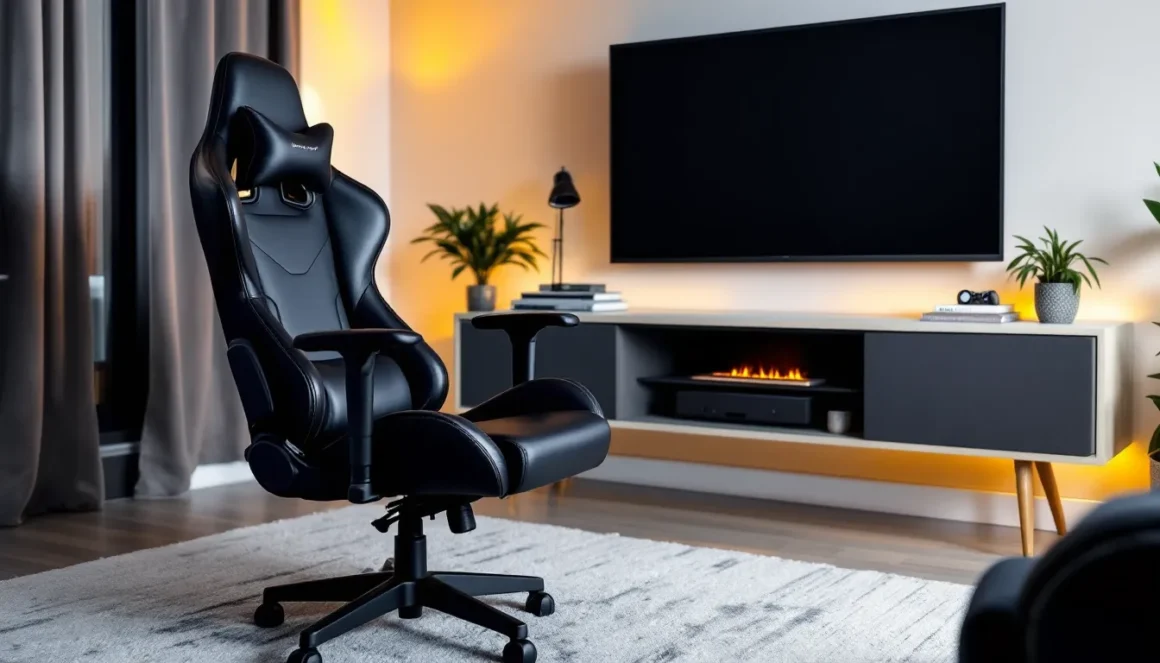
Most gamers have spent at least one marathon session hunched forward on a couch, controller in hand, neck screaming for mercy by hour three. The living room has always been gaming territory, especially for console players, but the seating situation has been an afterthought for too long. A proper living room gaming chair isn’t just about comfort: it’s about maintaining performance during those clutch moments in ranked matches or extended RPG sessions without sacrificing the aesthetic of your actual living space.
Unlike the aggressive, RGB-laden office gaming chairs that dominate setups in dedicated gaming rooms, living room gaming chairs are built for a different environment. They need to blend with your home décor, support extended play sessions on consoles or PCs connected to big screens, and often include features like built-in speakers, storage, and rocking mechanisms that office chairs simply don’t offer. As of 2026, the market has evolved significantly, with manufacturers finally recognizing that couch gaming deserves the same ergonomic attention as desk setups.
This guide breaks down everything a gamer needs to know about living room gaming chairs: what makes them different, which features actually matter, the main types available, and how to choose one that fits both your gaming platform and your space. Whether you’re grinding through another season pass or settling in for a story-driven single-player experience, the right chair makes a tangible difference.
Key Takeaways
- A living room gaming chair combines ergonomic support with home décor aesthetics, addressing posture issues and comfort limitations that standard couches can’t provide during extended gaming sessions.
- Living room gaming chairs differ from office gaming chairs through lower-profile designs, neutral colors, reclined seating positions optimized for TV viewing, and features like built-in audio and rocking mechanisms rather than aggressive RGB aesthetics.
- Essential features to prioritize include rocking or swivel mechanisms for comfort, built-in audio with Bluetooth connectivity for immersion, storage integration, and durable materials like reinforced steel frames that can withstand regular use.
- The three main types—floor rockers ($80–$300), pedestal chairs ($150–$500), and hybrid gaming recliners ($400–$1,200+)—each serve different needs based on space constraints, portability requirements, and gaming intensity.
- Proper setup requires measuring viewing distance (1.5–2.5 times screen diagonal), positioning screen height at or slightly below eye level, and testing audio connectivity to your gaming platform before purchase.
- Mid-range pricing ($150–$400) offers the best value for most gamers, delivering quality materials, integrated audio, and durability without diminishing returns found at premium price points or insufficient durability in budget models.
Why Your Living Room Setup Deserves a Dedicated Gaming Chair
The couch seems like the default option, it’s already there, it’s comfortable enough, and it doesn’t require spending extra money. But anyone who’s played through a full campaign or grinded ranked matches for hours knows the couch has limitations. Standard couches are designed for casual sitting and relaxation, not the forward-leaning engagement that competitive gaming demands or the extended static positions that story-driven games require.
A dedicated living room gaming chair addresses posture issues that couches can’t. Most couches lack proper lumbar support and force players into positions that create neck strain when looking up at wall-mounted TVs. Gaming chairs designed for living rooms position players at optimal viewing angles and provide support in the right places. The difference becomes obvious after a three-hour session, standard couch users are stretching and repositioning constantly, while proper chair users maintain focus.
Beyond ergonomics, there’s the performance angle. Living room gaming chairs often include features that directly enhance gameplay: built-in speakers that provide better positional audio than standard TV speakers, subwoofers that add immersion to explosions and engine rumbles, and designs that minimize distractions from shifting positions. For competitive players, these aren’t luxury features, they’re functional advantages that can improve reaction times and awareness.
The space consideration matters too. Unlike bulky office gaming chairs with wheels and tall backs, living room gaming chairs are designed to fit into existing home layouts. They can be moved easily, stored when not in use, and don’t visually dominate a room the way a racing-style office chair would. For gamers who share living spaces or value interior design, this flexibility is essential.
Key Differences Between Living Room Gaming Chairs and Traditional Office Gaming Chairs
Design and Aesthetics That Blend with Your Home
Office gaming chairs are built around a specific aesthetic: racing seats, bright color blocking, aggressive angles, and branding that screams “gamer.” That works fine in a dedicated gaming room or office, but it clashes hard in most living rooms. Living room gaming chairs take a completely different approach, prioritizing designs that blend with standard furniture.
Most living room gaming chairs use neutral colors, blacks, grays, browns, and upholstery materials like microfiber, leather, or mesh that match standard home furniture. The silhouettes are lower profile, often sitting directly on the floor or on short pedestals rather than tall wheeled bases. Some manufacturers have started offering designs that look like modern lounge chairs when not in use, with hidden speakers and controls that don’t announce “gaming chair” to every visitor.
The aesthetic difference extends to branding and embellishments. Where office gaming chairs often feature large logos, RGB lighting, and racing stripes, living room models keep things minimal. This isn’t about hiding gaming as a hobby, it’s about creating a space that serves multiple purposes without requiring complete redecorating.
Ergonomics Tailored for Console and Couch Gaming
The ergonomic needs of desk gaming versus couch gaming are fundamentally different. Office gaming chairs are designed for users sitting upright at a desk, with armrests positioned for keyboard and mouse use, and lumbar support optimized for forward-leaning postures. Living room gaming chairs serve players who are further from their screens, using controllers, and often in more reclined positions.
Floor rocker and pedestal chairs position players lower than office chairs, which aligns better with the typical height of wall-mounted TVs or entertainment center displays. The backrest angles are often more reclined, anywhere from 100 to 130 degrees compared to the 90-110 degrees common in office chairs. This recline reduces neck strain when looking up at screens mounted above eye level.
Armrest design differs significantly too. Living room gaming chairs either have shorter, controller-friendly armrests or no armrests at all, allowing players to hold controllers naturally in their laps. Some models include armrests with built-in controls for volume and bass, turning what would be dead space into functional surfaces. The focus is on supporting the back and neck while keeping arms and hands free for controller use, rather than supporting forearms during mouse and keyboard work.
Essential Features to Look for in a Living Room Gaming Chair
Rocking and Swivel Mechanisms
The ability to rock or swivel might seem like a novelty feature, but it serves practical purposes during gameplay. Rocking mechanisms allow subtle movement that prevents the muscle stiffness that comes from completely static sitting. During cutscenes or loading screens, the gentle rocking motion keeps blood flowing and reduces the locked-in feeling that causes players to stand up and pace.
Swivel bases (typically found on pedestal-style chairs) provide 360-degree rotation, which matters more than most players initially think. Being able to quickly turn to grab a drink, check a second screen, or talk to someone in the room without standing up or awkwardly twisting maintains immersion and comfort. For streamers gaming from their living rooms, swivel functionality allows quick camera adjustments without repositioning the entire chair.
The quality of these mechanisms varies significantly across price points. Budget models often use basic spring systems that wear out quickly or create annoying squeaking. Mid-range and premium chairs typically feature smooth, quiet mechanisms with adjustable resistance, letting players lock the chair in place for competitive sessions or unlock it for more relaxed gameplay.
Built-In Audio and Connectivity Options
Built-in audio is where living room gaming chairs differentiate themselves most dramatically from office alternatives. Many models include speakers positioned near head level and subwoofers integrated into the backrest or base. The audio quality won’t match a dedicated surround sound system, but it provides significantly better directional audio than standard TV speakers and creates immersion without requiring headphones.
Connectivity options have expanded considerably in recent models. Most chairs in 2026 support Bluetooth connectivity, allowing wireless connection to consoles, PCs, and mobile devices. Higher-end models include optical audio inputs, 3.5mm jacks, and USB connections, providing flexibility across platforms. Some chairs feature audio passthrough via RCA or optical outputs, letting players connect the chair between their console and TV to act as an audio hub.
The practical advantage shows up in mixed-use households. Players can use chair speakers for immersive gaming without disturbing others in the house, then switch to headphones for late-night sessions. The convenience of not managing separate speaker systems or constantly dealing with headphone cables makes built-in audio a feature worth prioritizing.
Storage and Cup Holder Integration
Storage pockets and cup holders sound minor until you’ve knocked over a drink during an intense match or spent two minutes searching for a charging cable. Well-designed living room gaming chairs include side pockets for controllers, cables, and accessories, keeping essentials within arm’s reach without cluttering the floor around the chair.
Cup holders integrated into armrests or side panels prevent the catastrophic drink spills that have ended countless controllers and carpet cleaning deposits. The best implementations use deep, contoured holders that securely grip various container sizes rather than shallow indentations that barely work. Some premium models include insulated holders that keep drinks cold during extended sessions.
These features contribute to uninterrupted gameplay. Having a controller charging cable immediately accessible means not pausing mid-match to hunt for one when the battery warning appears. Storage that keeps remotes, snacks, and mobile devices organized reduces the friction of settling in for a session, which might seem trivial but adds up over time.
Material Quality and Durability
Material selection determines both comfort and longevity. The most common upholstery materials in living room gaming chairs are synthetic leather (PU or PVC), microfiber, and mesh. Each has distinct trade-offs that affect long-term satisfaction.
Synthetic leather is easy to clean and looks premium but can crack and peel after 2-3 years of regular use, especially in temperature-variable environments. Microfiber and fabric upholstery breathe better during long sessions and generally last longer, but they’re harder to clean when spills happen. Mesh construction, borrowed from ergonomic office chairs, provides excellent airflow but offers less cushioning.
Frame construction matters more than upholstery for durability. Steel frames significantly outlast plastic, though they add weight. For chairs that will be moved regularly, stored away or repositioned, weight becomes a consideration. The sweet spot is reinforced steel frames in critical stress points (base and backrest connections) with lighter materials elsewhere. Many manufacturers now list weight capacities: chairs rated for 300+ pounds typically feature more robust construction across all price points.
Top Types of Living Room Gaming Chairs Explained
Floor Rocker Gaming Chairs
Floor rockers sit directly on the floor with a curved base that allows front-to-back rocking motion. They’re the most common and affordable type of living room gaming chair, with prices ranging from $80 to $300 for quality models. The low profile works well for players whose TVs are mounted at or slightly above seated eye level.
The main advantages are portability and storage. Floor rockers typically weigh 15-25 pounds and can be easily moved or stored in closets when not in use. Most fold flat or semi-flat, making them practical for smaller living spaces or multi-purpose rooms. The direct floor contact also provides stability, there’s no risk of tipping or wheel movement during intense gaming moments.
Downsides include limited adjustability and potential difficulty getting in and out for some users. Players with mobility issues or those who prefer higher seating positions often find floor rockers awkward. The fixed height also means they work best with specific TV mounting heights: too high or too low, and players end up with neck strain.
Pedestal Gaming Chairs
Pedestal chairs feature a central post that elevates the seat 8-12 inches off the floor, typically with a weighted base for stability. The elevation provides better viewing angles for higher-mounted displays and makes entry and exit easier than floor rockers. Most pedestals include 360-degree swivel functionality and some tilt or recline adjustment.
Price points range from $150 to $500, with the variance largely determined by build quality, audio features, and materials. Premium models include multi-motor vibration systems that sync with game audio, adding haptic feedback to explosions, collisions, and bass-heavy moments. This feature is divisive, some players find it immersive, others consider it gimmicky, but it’s worth testing if available.
The pedestal design takes up more permanent floor space than rockers and isn’t as easily stored. The bases typically measure 24-30 inches in diameter, which matters in smaller rooms. But, for dedicated gaming spaces or players who don’t need to move their chair frequently, pedestals offer the best combination of viewing angle flexibility and feature integration.
Bean Bag and Lounger Style Chairs
Bean bag gaming chairs and loungers represent the most casual end of the spectrum. Modern versions are far more structured than traditional bean bags, using memory foam or shredded foam cores with actual back support rather than just formless fill. They prioritize comfort and adaptability over features and ergonomics.
Prices vary wildly, from $60 budget options to $400+ premium loungers. The appeal is adaptability, bean bag chairs conform to different sitting positions and body types, making them comfortable for various play styles and player sizes. They’re also the most living-room-friendly aesthetic option, often indistinguishable from standard lounge furniture.
The trade-offs are significant for serious gaming sessions. Bean bag chairs offer minimal lumbar support compared to structured options, and they provide poor posture support for extended play. They work better for casual gaming, mobile gaming, or supplementary seating rather than as primary gaming chairs for players logging multiple hours daily. Some players enjoy them specifically for handheld gaming with Switch or Steam Deck, where the relaxed position suits the platform.
Hybrid Gaming Recliners
Hybrid gaming recliners blur the line between traditional recliners and gaming chairs, incorporating gaming features into furniture-quality seating. These are the premium option, typically priced $400-$1,200, designed for players who want a piece of furniture that serves both as living room seating and gaming chair.
These recliners include footrests, usually with manual or powered extension, full recline functionality (often up to 150+ degrees), and gaming features like built-in speakers, vibration, and connectivity options. The furniture-grade construction means they’re heavy (60-100+ pounds) and permanent additions to a room rather than portable options.
The value proposition works best for players who game regularly but also want functional living room furniture. Many popular hardware review sites like TechRadar have noted the growing quality in this category. A hybrid recliner can serve as a primary seating option for movie watching, reading, and general relaxation while offering gaming-optimized features when needed. The investment makes less sense for dedicated gaming-only use or for players who already have adequate living room seating.
How to Choose the Right Living Room Gaming Chair for Your Space
Assessing Your Gaming Platform and Play Style
Platform and play style should drive the decision before aesthetics or features. Console players using controllers benefit most from chairs with reclined seating positions, built-in audio, and no armrests or low-profile armrests. The typical console setup involves a TV across the room, making features like integrated speakers more valuable than they would be for PC players sitting close to monitors.
PC gamers connecting to living room TVs (either via long HDMI or streaming from a gaming PC) need to consider their input method. Those using controllers can follow console recommendations, but players using wireless keyboard and mouse setups need chairs with flatter seating surfaces and possibly tray accessories. Some hybrid recliners include swivel trays designed for this purpose, though they’re less common.
Play style intensity matters too. Competitive players grinding ranked modes in fighting games, shooters, or MOBAs need different support than players focused on single-player RPGs or strategy games. Competitive play typically involves more forward-leaning, active positions and benefits from chairs with firmer support and less recline. Casual and story-focused gaming works better with more relaxed, reclined positions and softer cushioning. Many gaming setup resources, including comprehensive guides on How-To Geek, emphasize matching chair ergonomics to play intensity.
Measuring Your Living Room and Placement Considerations
Measurement prevents expensive mistakes. Before purchasing, measure three critical dimensions: the space where the chair will sit, the distance from that position to the screen, and the screen height from the floor. A chair that’s perfect in specifications can be terrible if it doesn’t fit the spatial relationship between seating and display.
Optimal viewing distance for most gaming is 1.5 to 2.5 times the diagonal screen measurement. For a 55-inch TV, that’s roughly 7-11 feet: for a 65-inch TV, it’s 8-13 feet. Living room gaming chairs work best within these ranges. Closer than 1.5x and you’re better off with a desk setup: farther than 2.5x and you’ll strain to see UI elements and distant enemies.
Consider the chair’s footprint in both use and storage. Floor rockers typically need 3-4 feet of floor space front-to-back when rocking, plus clearance on sides. Pedestal chairs need their base diameter plus swivel clearance. Check if the chair can be positioned without blocking walkways or forcing furniture rearrangement. For shared spaces, foldable or easily movable options provide flexibility that permanent recliners can’t.
Budget Ranges and Value for Money
Living room gaming chair pricing segments into clear tiers with distinct value propositions. Understanding what each price bracket delivers helps avoid both overspending and false economy.
Budget tier ($50-$150): Basic floor rockers with minimal features. Expect simple padding, PU leather upholstery, basic speakers or no audio, and limited durability. These work for occasional gaming or younger players, but daily users typically outgrow them within a year through either wear or feature limitations. The sweet spot in this tier is $100-$120, where build quality improves noticeably over sub-$100 options.
Mid-range tier ($150-$400): Quality floor rockers and entry-level pedestals. This range includes better materials, decent integrated audio, vibration features, wireless connectivity, and construction that should last 3+ years with regular use. This tier offers the best value for most gamers, the feature set covers what actually matters without paying for diminishing returns.
Premium tier ($400-$1,200+): High-end pedestals and hybrid recliners with furniture-grade construction, superior audio systems, multiple connectivity options, premium materials, and extended warranties. The value proposition here depends on usage frequency and whether the chair serves multiple purposes. For daily multi-hour gaming sessions, the ergonomic benefits and durability justify the cost. For occasional use, it’s overkill.
One often-overlooked factor: warranty and return policies. Chairs with 90-day+ return windows and 1+ year warranties typically indicate manufacturer confidence in quality. The inability to test these chairs in-person before buying makes generous return policies particularly valuable.
Setting Up Your Living Room Gaming Chair for Optimal Performance
Ideal Viewing Distance and Screen Height
Proper positioning transforms a good chair into a great setup. The relationship between chair position, screen distance, and screen height affects both performance and comfort more than the chair itself in some cases. Getting this right requires actual measurement and adjustment, not eyeballing.
Screen height should position the center of the display at or slightly below seated eye level when sitting in a natural, relaxed position. For most living room gaming chairs, this means the screen center should be 24-36 inches from the floor, depending on chair height and player height. Wall mounts with tilt and height adjustment provide the flexibility to dial this in precisely.
Many players make the mistake of mounting TVs too high, what works for casual movie watching creates neck strain during extended gaming sessions. The “above the fireplace” TV mounting that’s common in living rooms is almost always too high for comfortable gaming. If the TV mount is fixed and too high, the solution is either remounting (worth it for serious gaming setups) or choosing a chair with more recline to compensate.
Distance testing helps find the sweet spot for both visual clarity and FOV advantage. Sit in your gaming chair and have someone slowly move a controller or object toward and away from the screen. The distance where you can comfortably see screen corners without moving your eyes is close to optimal. For competitive gaming, professional configurations tracked by databases like ProSettings show that slightly closer distances are common, though these typically involve desk setups rather than living room configurations.
Audio Setup and Speaker Positioning
Chairs with built-in audio need proper connectivity configuration to deliver their full benefit. Most modern chairs support multiple connection methods: Bluetooth, optical audio, RCA, and 3.5mm auxiliary. The connection method affects both audio quality and latency.
Optical audio provides the best quality and lowest latency for chairs that support it, making it the preferred choice for competitive gaming where audio cues matter. Connect the optical cable from the console or TV optical output to the chair’s optical input. Some TVs require manual setting changes to route audio through optical output rather than HDMI or internal speakers.
Bluetooth offers convenience and works across all platforms but introduces 100-200ms audio latency in most implementations. This delay is noticeable in competitive shooters and rhythm games where audio sync matters. For single-player games and casual play, Bluetooth’s convenience usually outweighs the latency concern.
For optimal audio positioning in chairs without built-in speakers, consider the chair’s position relative to existing surround sound setups. Floor rockers and low-profile chairs sit below the typical height of bookshelf speakers, which can create uneven soundstage. Speaker stands or wall-mounting that brings speakers down to 24-30 inches from the floor (near ear level for most gaming chairs) significantly improves positional audio accuracy.
Maintaining and Caring for Your Living Room Gaming Chair
Maintenance extends chair lifespan and preserves both comfort and appearance. Unlike office chairs that see 8-hour weekday use, gaming chairs often see intense weekend marathons followed by lighter weekday use, creating different wear patterns that require specific care approaches.
Upholstery care varies by material. PU leather wipes clean easily with damp cloths but should be treated with leather conditioner every 3-4 months to prevent cracking and peeling. Microfiber and fabric upholstery benefit from regular vacuuming to prevent dirt embedding in fibers, with spot cleaning for spills using appropriate fabric cleaners. Avoid harsh chemicals that can break down foam padding underneath the upholstery.
Mechanism maintenance prevents the squeaking and resistance issues that develop in rocking and swivel mechanisms. Every 2-3 months, apply silicone-based lubricant to moving parts, the rocker contact points on floor rockers, the swivel bearing on pedestal chairs, and recline mechanisms on hybrid models. Avoid oil-based lubricants that attract dust and create gummy buildup.
Built-in audio components need occasional care too. Speaker grilles accumulate dust that muffles sound quality: removing grilles (if possible) and gently vacuuming or using compressed air maintains audio clarity. Connection ports benefit from periodic inspection for dust buildup or corrosion, particularly on unused ports.
Frame and structural inspection should happen every few months for chairs that see heavy use. Check for loose screws or bolts, particularly at stress points where the seat connects to the base or backrest. Pedestal chairs especially benefit from periodic tightening of base connections. Weight capacity ratings assume proper maintenance: neglected chairs fail prematurely even under rated loads.
Storage matters for chairs that get moved regularly. Folding chairs should be stored in climate-controlled spaces rather than garages or basements where temperature and humidity fluctuations accelerate material degradation. Keep stored chairs covered to prevent dust accumulation and sun damage if near windows.
Common Mistakes to Avoid When Buying a Living Room Gaming Chair
Prioritizing features over ergonomics tops the mistake list. Vibration motors, RGB lighting, and flashy designs don’t matter if the chair creates back pain after two hours. Test or research actual sitting comfort and support before considering secondary features. Reviews that mention multi-hour comfort levels carry more weight than those focusing on specifications.
Ignoring return policies and warranties becomes painful when a chair that seemed perfect in photos feels wrong in person. Always buy from retailers with at least 30-day return windows, preferably 90 days. Some manufacturers offer trial periods specifically because they know in-person testing is difficult. Extended warranties (1+ years) indicate quality confidence: 30-day warranties suggest the opposite.
Buying based solely on Amazon reviews or single sources leads to regret. Cross-reference reviews across multiple platforms, paying particular attention to long-term reviews (6+ months of use) rather than initial impressions. Look for reviewer mentions of specific gaming scenarios and session lengths rather than generic “comfortable chair” statements.
Underestimating size and weight creates delivery and setup headaches. Check actual dimensions and weight, not just what looks reasonable in product photos. A chair that’s too large for your space or too heavy to move easily becomes frustrating. Similarly, chairs that are too small for larger players or lack adequate weight capacity create discomfort and safety issues.
Skipping the measurement step for screen distance and height relationships results in poor viewing angles that no amount of chair quality can fix. Measure twice, buy once. A $200 chair positioned correctly outperforms a $500 chair positioned poorly.
Overlooking platform compatibility with built-in audio creates connectivity headaches. Verify that connection options match your gaming platform. Some chairs advertise “universal compatibility” but only include Bluetooth and RCA, which creates problems for modern consoles with optical or HDMI audio out. Check specific connection requirements before purchasing.
Buying too cheap or too expensive for actual needs wastes money in both directions. A $60 chair for daily 4-hour sessions won’t last or provide adequate support. A $800 recliner for 3-hour weekend gaming is overkill. Match investment to usage intensity and duration.
Conclusion
The living room gaming chair market in 2026 offers options that actually respect both gaming performance and living space aesthetics. The days of choosing between proper ergonomic support and furniture that doesn’t scream “gamer cave” are mostly over, though careful selection remains important.
The right choice comes down to matching chair type and features to actual gaming habits, platform, and space constraints. Console players benefit most from floor rockers or pedestals with integrated audio. PC gamers connecting to living room displays need to consider input methods alongside seating comfort. Competitive players prioritize different features than casual gamers, and multi-use spaces require different solutions than dedicated gaming rooms.
Measurement, testing (when possible), and research prevent most regrets. The chair that works perfectly for a 6’2″ player in a 12-foot viewing distance setup will likely disappoint a 5’4″ player sitting 7 feet from their screen. There’s no universal best living room gaming chair, only the best chair for specific situations.
Investing in proper seating pays dividends in both immediate comfort and long-term health. The neck strain, back pain, and posture issues that develop from hundreds of hours in poor seating positions don’t appear immediately, but they accumulate. A quality living room gaming chair isn’t an indulgence, it’s proper equipment for the hobby, as essential as a decent controller or reliable internet connection.