CyberPower has been a major player in the pre-built gaming PC market for years, and their Xtreme Gaming PC line continues to attract attention from gamers who want high performance without the hassle of building from scratch. In 2026, the Xtreme Gaming PC lineup sits in that sweet spot between budget builds and enthusiast-grade rigs, offering configurations that can handle everything from competitive esports titles to demanding AAA releases at high settings.
But with so many pre-built options flooding the market, from boutique builders to major manufacturers, is the CyberPower Xtreme Gaming PC actually worth your money? This guide breaks down the specs, performance benchmarks, customization options, and real-world value to help you decide if this pre-built deserves a spot on your desk. Whether you’re upgrading from a console, replacing an aging rig, or just tired of hunting for GPU stock, here’s everything you need to know.
Key Takeaways
- The CyberPower Xtreme Gaming PC delivers strong 1440p performance at competitive prices, offering mid-tier configs with RTX 5070 or RX 8800 XT cards that balance visual quality with high refresh rates.
- Unlike proprietary OEM systems, the Xtreme Gaming PC uses standard ATX components and industry-standard parts, making future GPU upgrades, RAM expansions, and storage additions straightforward and hassle-free.
- Mid-range Xtreme Gaming PC builds provide excellent value compared to boutique builders and DIY options, saving you time and delivering reliable performance without premium pricing.
- Inspect your system thoroughly upon arrival since quality control varies; cable management is adequate but not exceptional, and customer service experiences are inconsistent across users.
- The Xtreme Gaming PC suits first-time PC gamers, streamers, and 1440p enthusiasts seeking plug-and-play gaming without building from scratch, though experienced builders on tight budgets may save money with DIY.
- Customization before purchase lets you upgrade to 32GB RAM, faster NVMe storage, and AIO liquid cooling, making the pre-built adaptable for gaming, streaming, and content creation workloads.
What Is the CyberPower Xtreme Gaming PC?
The CyberPower Xtreme Gaming PC is a mid-to-high-tier pre-built desktop designed for gamers who want solid performance without custom-building every component. It’s part of CyberPower’s broader lineup, positioned above their entry-level Gamer series but below their ultra-premium configurations.
What sets the Xtreme line apart is its focus on current-gen components paired with decent cooling and a reasonable upgrade path. You’re not locked into proprietary parts like some OEM systems (looking at you, certain Dell and HP models). CyberPower uses standard ATX or mid-tower cases, off-the-shelf motherboards, and industry-standard PSUs, which means you can swap parts later without throwing the whole system out.
The Xtreme Gaming PC comes in multiple configurations, ranging from 1080p-focused builds with mid-range GPUs to 4K-capable beasts with top-tier cards. CyberPower refreshes these configs regularly to match the latest CPU and GPU releases, so what you see in early 2026 will likely feature Intel’s 15th-gen Core processors or AMD’s Ryzen 8000 series, paired with NVIDIA RTX 50-series or AMD Radeon RX 8000 GPUs.
It’s available directly from CyberPower’s site and through major retailers like Best Buy and Amazon, usually with some level of customization before checkout. Warranty coverage is standard at one year for parts and labor, with optional extensions available.
Key Features and Specifications
Processor and Graphics Card Options
The heart of any gaming PC is the CPU-GPU combo, and the Xtreme Gaming PC offers several tiers depending on your budget and performance needs.
On the CPU side, expect configurations built around:
- Intel Core i5-15600K or i7-15700K: Strong single-threaded performance for high-FPS esports titles and solid multi-core for streaming or background tasks.
- AMD Ryzen 7 8700X or Ryzen 9 8900X: Slightly better multi-threaded performance and often paired with AMD GPU configs for Smart Access Memory benefits.
Both platforms deliver excellent gaming performance in 2026, with the Intel chips edging ahead in raw FPS in some titles, while AMD offers better value and efficiency in multi-tasking scenarios.
For graphics cards, the Xtreme line typically includes:
- NVIDIA RTX 5060 Ti or RTX 5070: Solid 1440p performance with ray tracing and DLSS 4, targeting 100+ FPS in most modern games at high settings.
- NVIDIA RTX 5080 or RTX 5090: High-end configs for 4K gaming, capable of maxing out settings in demanding titles like Cyberpunk 2077: Phantom Liberty or Starfield with ray tracing enabled.
- AMD Radeon RX 8700 XT or RX 8800 XT: Competitive alternatives with strong rasterization performance and FSR 4 support, often priced lower than NVIDIA equivalents.
Most configurations let you choose between GPU tiers during customization, so you’re not locked into a single option.
Memory, Storage, and Cooling Systems
RAM configurations on the Xtreme Gaming PC start at 16GB DDR5-5600, which is the bare minimum for modern gaming. Most gamers should opt for the 32GB upgrade if you plan to stream, run Discord, Chrome tabs, and your game simultaneously. CyberPower typically uses reputable brands like Corsair, G.Skill, or Kingston, though specific brands vary by config.
Storage setups usually include:
- Primary drive: 1TB NVMe Gen 4 SSD (PCIe 4.0) for OS and games. Brands like Samsung 990 Pro, WD Black SN850X, or Crucial P5 Plus are common.
- Secondary storage: Optional 2TB HDD or additional SSD, though most gamers in 2026 skip mechanical drives entirely.
Load times on Gen 4 NVMe drives are excellent, expect games like Baldur’s Gate 3 or Elden Ring to load in under 10 seconds from the main menu.
Cooling varies by configuration:
- Air cooling: Mid-range configs use tower coolers like the Cooler Master Hyper 212 or DeepCool AK620, which handle most CPUs fine under gaming loads.
- Liquid cooling: Higher-end builds feature 240mm or 360mm AIO liquid coolers, keeping temps in check during extended sessions or when overclocking.
Case airflow is decent but not exceptional. CyberPower includes 3-4 case fans depending on the model, with intake and exhaust configured for positive pressure. You might want to add an extra fan or two if you’re pushing the system hard in a warm room.
Case Design and RGB Lighting
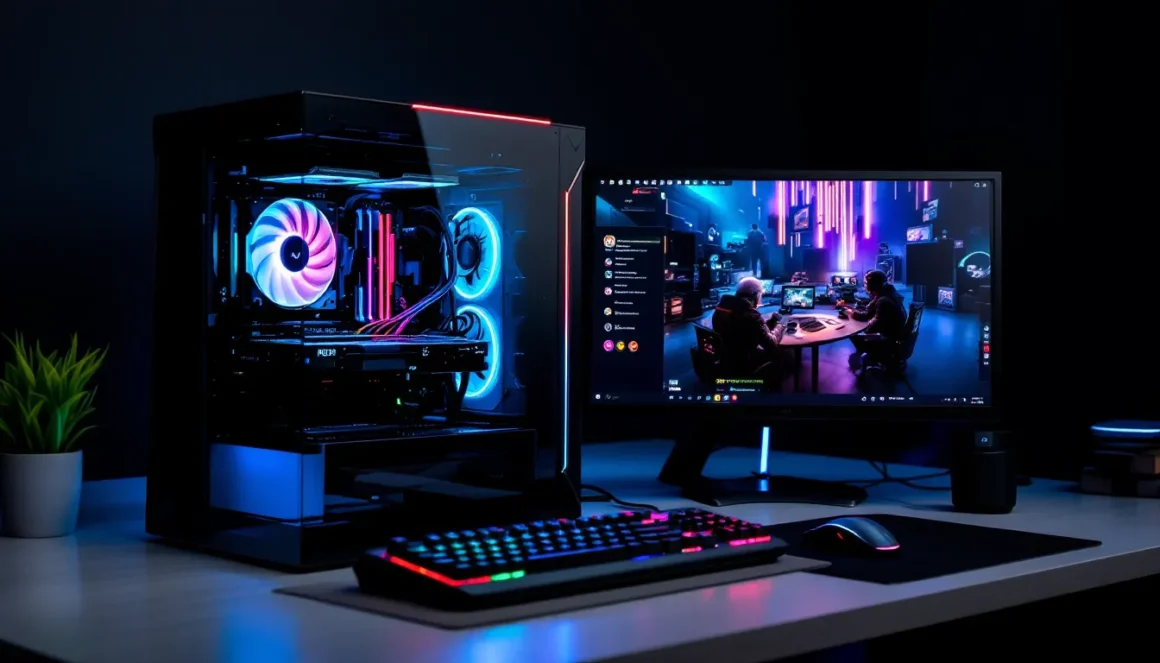
The case on the Xtreme Gaming PC is typically a mid-tower with a tempered glass side panel, though exact models vary. Common options include the CyberPowerPC AZZA Mid-Tower or similar designs with front mesh panels for airflow.
Design-wise, it’s understated gaming aesthetic, angular lines, some RGB accents, but not the over-the-top gamer look of older builds. The tempered glass shows off your components without being obnoxious.
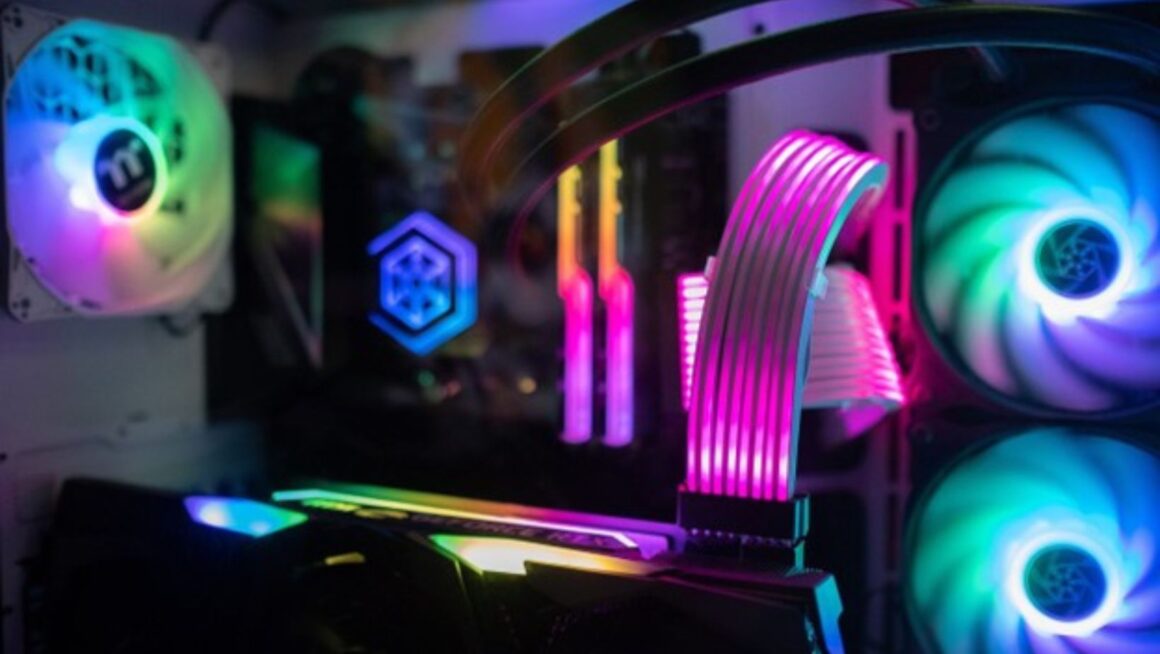
RGB lighting is present but not overwhelming. You’ll get RGB fans, RGB RAM (if you choose it), and sometimes an RGB strip along the case interior. Lighting is controlled via motherboard software (Asus Aura Sync, MSI Mystic Light, or Gigabyte RGB Fusion depending on the board), so you can sync colors or turn it off entirely if RGB isn’t your thing.
Cable management inside is acceptable for a pre-built. It’s not boutique-level clean, but cables are routed and tied off well enough that it won’t impact airflow or look like a rat’s nest.
Performance Benchmarks: How the Xtreme Gaming PC Handles Modern Games
1080p, 1440p, and 4K Gaming Performance
Performance varies by configuration, but here’s what you can expect from typical Xtreme Gaming PC builds in early 2026:
1080p Gaming (RTX 5060 Ti or RX 8700 XT config):
- Competitive titles (Valorant, CS2, Apex Legends): 240+ FPS on high settings, easily hitting 300+ on low. Perfect for high-refresh 240Hz or 360Hz monitors.
- AAA titles (Cyberpunk 2077, Starfield, Alan Wake II): 90-120 FPS on ultra settings without ray tracing: 70-90 FPS with ray tracing and DLSS/FSR enabled.
At 1080p, even mid-tier Xtreme configs are overkill for most games unless you’re chasing ultra-high refresh rates.
1440p Gaming (RTX 5070 or RX 8800 XT config):
- Competitive titles: 200+ FPS on high, ensuring smooth gameplay on 165Hz or 240Hz 1440p monitors.
- AAA titles: 80-110 FPS on ultra settings, 60-80 FPS with ray tracing maxed. Games like Hogwarts Legacy and Red Dead Redemption 2 stay comfortably above 60 FPS.
This is the sweet spot for most gamers in 2026. You get high visual fidelity without needing a top-tier GPU, and frame rates stay high enough for competitive play.
4K Gaming (RTX 5080 or RTX 5090 config):
- AAA titles: 60-90 FPS on ultra settings with ray tracing, depending on the game. Cyberpunk 2077 with path tracing hits 60-70 FPS with DLSS 4 in Quality mode.
- Esports titles: 144+ FPS on high settings, though most competitive players stick to 1440p for higher frame rates.
The RTX 5090 configs push 4K/120Hz gaming into reality for most titles, but you’re paying a premium for that performance. Independent testing from sources like Tom’s Hardware confirms that these high-end GPUs deliver consistent 4K performance across demanding games.
Streaming and Content Creation Capabilities
The Xtreme Gaming PC handles streaming without breaking a sweat, thanks to current-gen CPUs and dedicated GPU encoders.
- NVIDIA NVENC (on RTX 50-series cards) delivers excellent 1080p60 or 1440p60 streams with minimal performance hit, usually 5-10% FPS loss in-game.
- AMD’s encoder on RX 8000 cards has improved significantly but still trails NVIDIA slightly in quality at lower bitrates.
- CPU encoding (x264) is viable on Ryzen 9 or Core i7 configs if you want maximum stream quality, though you’ll see a bigger FPS drop.
For content creation:
- Video editing (Premiere Pro, DaVinci Resolve): 32GB RAM configs handle 4K timelines smoothly. GPU acceleration speeds up rendering, especially on NVIDIA cards with CUDA support.
- 3D rendering (Blender): Multi-core CPUs like the Ryzen 9 8900X chew through renders quickly, while GPU rendering on RTX 5080/5090 is significantly faster.
- Game recording: Shadowplay (NVIDIA) and ReLive (AMD) record gameplay with minimal overhead. Storage fills up fast, so that 2TB upgrade makes sense here.
If you’re splitting time between gaming and content work, the Xtreme Gaming PC is versatile enough to handle both without compromise.
Customization and Upgrade Options
Pre-Built Configurations vs. Custom Builds
When ordering from CyberPower, you get a base configuration but can customize most components before checkout:
- CPU cooler upgrades: Swap from stock air to AIO liquid cooling.
- RAM: Bump from 16GB to 32GB or 64GB (overkill for pure gaming, but useful for creators).
- Storage: Add secondary drives or upgrade to larger Gen 4/Gen 5 SSDs.
- PSU: Increase wattage or switch to modular PSUs for cleaner cable management.
- Case fans and lighting: Add more RGB or swap to quieter fans.
The customization interface is straightforward, though you’ll pay a bit more than buying parts separately. The convenience factor is the trade-off, CyberPower builds, tests, and ships the system within 2-3 weeks typically.
Compared to building your own, the Xtreme Gaming PC saves time but costs 10-15% more for similar specs. That premium buys you warranty support, cable management (but decent), and the assurance that everything works out of the box. If you’ve built PCs before, you can save money going DIY. If you haven’t, the Xtreme line is a solid option.
Future-Proofing Your Xtreme Gaming PC
One major advantage of the Xtreme Gaming PC is its upgrade path. CyberPower uses standard components, so future upgrades are simple:
- GPU swap: The easiest upgrade. Cases have room for full-length cards, and PSUs are sized appropriately (usually 750W-850W on mid-to-high configs). In 2-3 years, you can drop in a next-gen GPU without touching anything else.
- RAM: Most motherboards have 4 DIMM slots. If you start with 16GB (2x8GB), you can add another 16GB later.
- Storage: Multiple M.2 slots and SATA ports mean adding drives is painless. Analysis from TechSpot highlights how Gen 4 SSDs remain relevant for several years, so you won’t need to upgrade storage often.
- CPU: Depends on the socket. Intel’s LGA1700 and AMD’s AM5 platforms support multiple CPU generations, so you can upgrade the CPU without replacing the motherboard.
Potential bottlenecks:
- PSU: If you start with a 650W PSU on a budget config, you might need to upgrade it for a power-hungry GPU later.
- Cooling: Stock coolers are fine for base CPUs but may struggle if you upgrade to higher-wattage chips.
Overall, the Xtreme Gaming PC holds up well for 3-5 years with minimal upgrades. Dropping in a new GPU at the 2-3 year mark keeps you current without rebuilding entirely.
Pricing and Value for Money
Pricing for the CyberPower Xtreme Gaming PC ranges from around $1,200 for entry-level 1080p configs to $3,500+ for high-end 4K builds with RTX 5090s. Here’s a rough breakdown:
- $1,200-$1,600: RTX 5060 Ti or RX 8700 XT, Core i5 or Ryzen 7, 16GB RAM, 1TB SSD. Solid 1080p/1440p gaming.
- $1,800-$2,400: RTX 5070 or RX 8800 XT, Core i7 or Ryzen 9, 32GB RAM, 1TB SSD. Excellent 1440p gaming, capable 4K in many titles.
- $2,600-$3,500+: RTX 5080/5090, top-tier CPUs, 32GB+ RAM, 2TB SSD, AIO cooling. Premium 4K gaming and content creation.
Keep an eye out for sales and promotions. CyberPower frequently runs discounts during Black Friday, back-to-school season, and around major hardware launches. You can sometimes snag 10-20% off, which significantly improves value.
How It Compares to Competitors
How does the Xtreme Gaming PC stack up against other pre-built options?
vs. NZXT BLD: NZXT offers cleaner builds and better cable management, but prices run 5-10% higher for similar specs. If aesthetics matter, NZXT wins. If you want more bang for your buck, CyberPower edges ahead.
vs. iBUYPOWER: Very similar to CyberPower (both companies share some ownership). Pricing and specs are nearly identical. Choose based on which has better sales at the time.
vs. Alienware/Dell: Dell’s Aurora series uses proprietary parts and limited cooling, making upgrades harder. CyberPower offers better value and flexibility. Avoid Alienware unless you’re locked into Dell’s ecosystem.
vs. Maingear or Origin PC: Boutique builders offer superior build quality, custom paint jobs, and white-glove service, but you’ll pay 30-50% more. If you’ve got the budget and want a showpiece, go boutique. For most gamers, CyberPower delivers 90% of the performance at 60% of the price.
vs. DIY builds: Building your own PC saves 10-15% on average, but you sacrifice warranty simplicity and time. GPU and CPU prices have stabilized in 2026, so the gap between pre-built and DIY pricing has narrowed. Detailed comparisons from Hardware Times show that pre-builts from CyberPower often match or beat DIY pricing during sales.
Overall, the Xtreme Gaming PC sits in the value-focused pre-built category. It’s not the cheapest, not the most premium, but it delivers strong performance per dollar.
Pros and Cons of the CyberPower Xtreme Gaming PC
Pros:
- Strong performance across resolutions: Handles 1080p, 1440p, and 4K gaming depending on config.
- Good upgrade path: Standard components mean you can swap parts easily in the future.
- Decent cooling: AIO options and adequate case airflow keep temps manageable.
- Customization options: Tailor specs to your needs before purchase.
- Competitive pricing: Often cheaper than boutique builders and comparable to DIY during sales.
- Wide availability: Sold through CyberPower’s site, Amazon, and Best Buy.
Cons:
- Cable management is just okay: Not terrible, but not boutique-level clean.
- Quality control can be inconsistent: Some users report loose cables, misaligned components, or DOA parts. Check thoroughly on arrival.
- Base configs skimp on some parts: Entry-level models may use generic RAM or slower SSDs. Upgrades cost extra.
- Cooling could be better on budget models: Stock air coolers are adequate but not impressive. Higher-end configs with AIOs fare better.
- Customer service is hit-or-miss: Warranty support can be slow, and RMA processes sometimes drag. Extended warranties might be worth it.
- RGB software bloat: Multiple RGB control apps (motherboard, RAM, fans) can be annoying to manage.
The Xtreme Gaming PC is a solid choice if you prioritize performance and value, but don’t expect perfect build quality or premium support.
What Gamers Are Saying: User Reviews and Experiences
User feedback on the CyberPower Xtreme Gaming PC is generally positive, with some recurring themes:
Performance: Most reviewers praise the gaming performance, especially at 1440p. Frame rates match expectations based on specs, and systems handle modern AAA titles without issues. Competitive gamers report smooth gameplay at high refresh rates.
Build quality: Opinions vary. Some users receive systems with clean builds and everything working perfectly. Others report loose power cables, missing screws, or fans not spinning on arrival. The consensus: inspect your system thoroughly when it arrives and test everything before the return window closes.
Cooling and noise: Mid-range configs with air coolers run warm under load but stay within safe temps (70-80°C on CPU, 65-75°C on GPU). AIO-cooled systems run cooler and quieter. Case fans can get loud under full load, but most gamers wear headsets anyway.
Value: Buyers consistently mention that the price-to-performance ratio is strong, especially when compared to building their own during periods of high GPU prices. Even in 2026, with more stable component pricing, the convenience factor makes pre-builts appealing.
Customer service: This is where reviews get mixed. Warranty claims are sometimes processed quickly, but other users report weeks-long waits for RMA approvals or replacement parts. If you encounter issues, persistence is key.
Upgrades and modifications: Enthusiasts appreciate the easy upgrade path. Several reviews mention swapping GPUs, adding RAM, or installing additional storage without issues.
Common complaints include bloatware (CyberPower installs some unnecessary software), RGB lighting that’s tedious to configure, and occasional BIOS settings that need tweaking for optimal performance.
Overall sentiment: the Xtreme Gaming PC delivers on performance and value, but quality control and support could be better.
Who Should Buy the CyberPower Xtreme Gaming PC?
The CyberPower Xtreme Gaming PC makes sense for several types of gamers:
First-time PC gamers: If you’re coming from console or just starting out, the Xtreme line offers a plug-and-play experience without the intimidation of building your own. You get current-gen hardware, decent performance, and a warranty to fall back on.
Gamers who value time over cost savings: Building a PC takes research, part hunting, and assembly time. If you’d rather spend that time gaming, the 10-15% premium for a pre-built is worth it.
1440p gamers: The mid-tier Xtreme configs (RTX 5070 or RX 8800 XT) hit the sweet spot for 1440p gaming at high refresh rates. You get excellent visuals and frame rates without overspending on 4K hardware you might not need.
Streamers and content creators: Configs with 32GB RAM and high-end GPUs handle streaming, video editing, and rendering alongside gaming. NVENC encoding minimizes performance hits during streams.
Gamers who want an upgrade path: If you’re buying now but want to upgrade the GPU in 2-3 years, the Xtreme Gaming PC’s standard components make that simple.
Who should skip it?
- Experienced builders on a tight budget: If you’re comfortable building and every dollar counts, DIY will save you money.
- Enthusiasts who demand perfection: Cable management, component selection, and build cleanliness aren’t top-tier. Boutique builders or DIY are better if you want a showpiece.
- Anyone needing reliable customer service: If you’re risk-averse about potential issues, brands with stronger support reputations (NZXT, Maingear) might be worth the extra cost.
The Xtreme Gaming PC is a practical choice for most gamers who want strong performance and reasonable value without fuss.
Conclusion
The CyberPower Xtreme Gaming PC delivers where it counts: performance, flexibility, and value. It’s not going to win awards for cable management or customer service, but it will run your games at high settings, stream smoothly, and give you room to upgrade down the line.
For gamers in 2026, it’s a competitive option in the crowded pre-built market. Mid-tier configs targeting 1440p offer the best balance of price and performance, while high-end 4K builds provide excellent frames if you’re willing to spend. Entry-level models are solid but consider bumping RAM to 32GB if you multitask.
If you’re ready to jump into PC gaming or need a reliable upgrade without the hassle of sourcing parts, the Xtreme Gaming PC is worth serious consideration. Just inspect your build on arrival, test everything, and keep an eye out for sales to maximize value.