DDR3 RAM isn’t cutting-edge anymore, DDR5 dominates the headlines, and DDR4 still holds the midrange, but millions of gamers are still running DDR3 systems in 2026. Whether you’re nursing an older rig through another year, hunting for budget upgrades, or just trying to figure out if your 2013-era build can handle modern titles, understanding DDR3’s role in today’s gaming landscape matters.
This guide breaks down what DDR3 can and can’t do in 2026, how to choose the right kit, when upgrading makes sense, and when it’s time to retire the platform altogether. No fluff, no nostalgia trips, just the data and recommendations you need to get the most out of DDR3 or plan your next move.
Key Takeaways
- DDR3 gaming RAM still delivers playable performance in esports titles and older games, but upgrading from 8 GB to 16 GB is essential for handling modern titles and multitasking without stuttering.
- A typical DDR3 system can achieve 60 FPS at 1080p medium settings in many games, but struggles with high refresh rate gaming (144+ Hz) and demanding AAA titles like Starfield and Cyberpunk 2077.
- Dual-channel DDR3 configuration with matched 2×8 GB kits provides 10–25% higher frame rates compared to single-channel, making proper slot placement and module selection critical for gaming performance.
- DDR3 RAM speeds between 1866–2133 MHz offer better value than higher frequencies, with performance gains of 3–8% in CPU-bound scenarios, while 2400 MHz enthusiast kits rarely justify their cost in 2026.
- Platform upgrades to DDR4 or DDR5 are recommended if you play new AAA titles regularly, want 144+ Hz competitive gaming, or plan to upgrade to a mid-to-high tier GPU, as DDR3 becomes a significant bottleneck.
- Enable XMP profiles in BIOS to run DDR3 RAM at rated speeds, ensure compatibility with motherboard voltage requirements (1.5V vs. 1.35V DDR3L), and maintain dual-channel configuration by installing matched module pairs in correct slots.
What Is DDR3 RAM and Why Does It Still Matter for Gamers?
Understanding DDR3 Technology
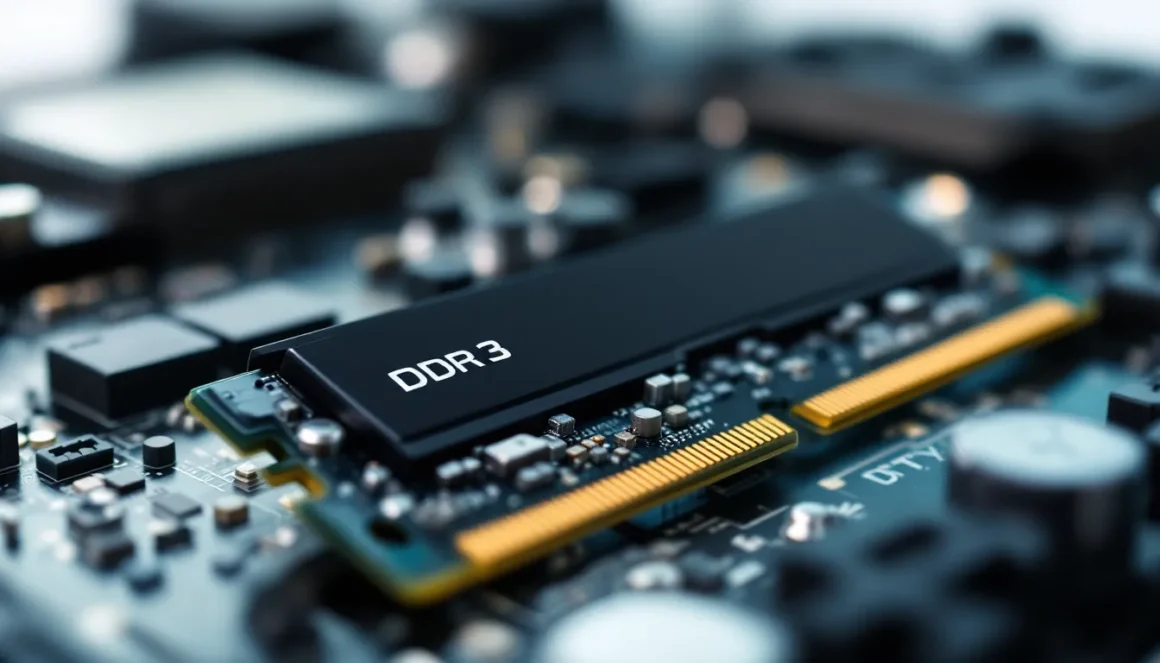
DDR3 (Double Data Rate 3) launched in 2007 and became the standard for gaming PCs from roughly 2010 to 2016. It operates at lower voltages (1.5V vs. DDR2’s 1.8V) and supports higher densities and faster speeds than its predecessor. Most DDR3 modules run between 1333 MHz and 2133 MHz, with enthusiast kits pushing to 2400 MHz or higher with overclocking.
The technology uses a 64-bit memory bus per module, and most gaming systems paired DDR3 with Intel’s second through sixth-generation Core processors (Sandy Bridge through Skylake) or AMD’s FX and early Ryzen chips. Peak theoretical bandwidth for DDR3-2133 sits around 17 GB/s per module in dual-channel configuration, perfectly adequate for many games, but noticeably slower than DDR4 and DDR5.
DDR3 matters in 2026 because the installed base is huge. Platforms like Intel’s Haswell (fourth-gen Core) and Skylake (sixth-gen) sold tens of millions of units, and many of those systems still run daily. For budget-conscious gamers, esports players, or anyone dealing with older hardware, DDR3 represents a low-cost path to squeezing extra performance out of an aging build.
DDR3 vs. DDR4 vs. DDR5: How They Compare in Gaming
The performance gap between DDR3, DDR4, and DDR5 shows up most clearly in memory-intensive scenarios: open-world games, heavily modded titles, and high-refresh competitive shooters.
DDR3 typically caps out at 2133–2400 MHz with CL9–CL11 latencies. Bandwidth peaks around 17–19 GB/s in dual-channel. It pairs with older CPUs that also lack modern IPC (instructions per cycle) improvements, so the entire platform feels the age, not just the RAM.
DDR4 ranges from 2133 MHz to 3200 MHz for mainstream kits, with enthusiast models hitting 4000 MHz and beyond. Bandwidth scales to 25–32 GB/s in typical dual-channel configs. DDR4 also introduced lower voltage (1.2V) and higher module densities, making 16 GB and 32 GB kits common.
DDR5, the current flagship, starts at 4800 MHz and reaches 6400 MHz or higher. Bandwidth can exceed 50 GB/s in dual-channel. On-die ECC, improved power management, and native support for higher capacities make DDR5 the clear winner for new builds, but it requires compatible CPUs and motherboards (Intel 12th-gen and newer, AMD Ryzen 7000 series and newer).
In real-world gaming, DDR3 vs. DDR4 can mean a 10–20% frame rate difference in CPU-bound scenarios, especially at 1080p with a strong GPU. DDR5’s advantage over DDR4 is smaller in most games as of early 2026, though that gap widens in simulation titles, large-scale multiplayer, and future releases optimized for faster memory.
DDR3 Gaming Performance in 2026: What to Expect
Frame Rates and Gaming Benchmarks
A DDR3 system’s gaming performance hinges on the CPU, GPU, and memory configuration working together. In 2026, a typical DDR3 setup might pair an Intel Core i5-4690K or i7-6700K with 16 GB of DDR3-1866 and a midrange GPU like an NVIDIA GTX 1660 or AMD RX 580.
Benchmarks from gaming hardware analysis show that DDR3 platforms can hold 60 FPS in many popular titles at 1080p medium-to-high settings, but struggles emerge at higher refresh rates. In CS2 (Counter-Strike 2), a DDR3-1866 system with an i5-4690K and GTX 1660 averages around 110–130 FPS at 1080p low settings, playable for casual matches, but not ideal for 240 Hz competitive play. Upgrading to DDR3-2133 or enabling XMP can add 5–10 FPS.
Fortnite performance mode yields 90–120 FPS on similar hardware, while Valorant comfortably exceeds 144 FPS thanks to its excellent optimization. In contrast, Cyberpunk 2077 at 1080p medium struggles to maintain 50 FPS, and newer AAA titles like Starfield or GTA VI (releasing later in 2026) will likely push DDR3 systems below 30 FPS unless settings are drastically reduced.
Memory bandwidth and latency become bottlenecks when the GPU is strong relative to the CPU. Pairing a modern RTX 4060 with a DDR3 system results in significant GPU underutilization, the CPU and RAM simply can’t feed frames fast enough.
Games That Run Well on DDR3 Systems
DDR3 still delivers solid experiences in less demanding or well-optimized titles:
- Esports titles: Valorant, CS2, League of Legends, Rocket League, and Overwatch 2 all run at 100+ FPS on modest DDR3 setups.
- Older AAA games: The Witcher 3, GTA V, Red Dead Redemption 2 (at lower settings), Dark Souls III, and Elden Ring hit 60 FPS with the right tweaks.
- Indie and mid-tier releases: Hades, Hollow Knight, Stardew Valley, Terraria, Dead Cells, and Celeste run flawlessly.
- Strategy and simulation: Civilization VI, Factorio, RimWorld, and Age of Empires IV perform well, though late-game turn times in Civ VI can drag.
If your library skews toward these genres, DDR3 remains viable.
When DDR3 Becomes a Bottleneck
DDR3 hits its limits in several scenarios:
- High refresh rate gaming: Pushing 240 Hz in competitive shooters demands more memory bandwidth and CPU headroom than DDR3 platforms typically offer.
- Modern open-world titles: Starfield, Hogwarts Legacy, Spider-Man 2, and GTA VI leverage faster memory to stream assets and reduce stuttering. DDR3 systems see frequent frame drops and longer load times.
- Heavy multitasking: Streaming via OBS while gaming, running Discord, browser tabs, and music apps simultaneously will choke 8 GB DDR3 setups and stress even 16 GB configs.
- Modding: Skyrim or Fallout 4 with 100+ mods, high-res texture packs, or ENB presets quickly exhaust DDR3’s bandwidth.
- Ray tracing and upscaling: Technologies like DLSS 3.5 or FSR 3 reduce GPU load but increase CPU/memory overhead, magnifying DDR3’s weaknesses.
If you’re experiencing stuttering, inconsistent frame pacing, or prolonged loading screens even though a decent GPU, the memory subsystem is likely the culprit.
Choosing the Right DDR3 RAM for Your Gaming Build
Capacity: How Much RAM Do You Really Need?
8 GB was the sweet spot for DDR3 gaming from 2012 to 2017, but it’s tight in 2026. Windows 10 or 11 alone consumes 3–4 GB at idle, leaving little headroom for modern games that recommend 8–12 GB. You can still play esports titles and older games, but expect to close background apps and experience occasional slowdowns.
16 GB is the practical minimum for a decent DDR3 gaming experience in 2026. Most modern titles list 16 GB as recommended, and having extra capacity lets you run Discord, a browser, and music without stuttering. Two 8 GB modules in dual-channel configuration deliver the best performance.
32 GB offers negligible gaming benefits on DDR3 platforms, most CPUs that support DDR3 can’t fully leverage that much memory, and the cost of high-capacity DDR3 modules in 2026 often exceeds their value. Spend that budget on a GPU upgrade or start saving for a platform transition instead.
If you’re running 8 GB and considering an upgrade, jumping to 16 GB (2×8 GB) is the only move worth making.
Speed and Frequency Considerations
DDR3 speeds range from 1333 MHz to 2400 MHz, with 1600 MHz and 1866 MHz being the most common.
- DDR3-1333: Baseline speed, often found in OEM systems. Functional but noticeably slower in memory-intensive games.
- DDR3-1600: The standard for most DDR3 gaming builds. Good price-to-performance ratio.
- DDR3-1866 and DDR3-2133: Modest uplift over 1600 MHz, roughly 3–8% in CPU-bound scenarios. Worth it if the price difference is small.
- DDR3-2400+: Enthusiast territory, usually requiring manual overclocking. Gains diminish beyond 2133 MHz on most platforms.
Testing by hardware benchmarking sites shows that moving from DDR3-1600 to DDR3-2133 yields about a 5% average FPS increase in CPU-limited scenarios, with some titles seeing up to 10%. If you’re buying new (or used) modules, aim for 1866 MHz or 2133 MHz if the cost is within 10–15% of 1600 MHz kits.
Timing and Latency Explained
CAS latency (CL) measures the delay between a memory request and data retrieval. Lower is better. Common DDR3 timings include CL9, CL10, and CL11.
A DDR3-1600 CL9 kit delivers slightly better latency than DDR3-1600 CL11, but the real-world gaming difference is typically 1–2%. Unless you’re tuning for competitive play or benchmarking, don’t stress over CL9 vs. CL11.
What matters more is the balance between frequency and latency. DDR3-2133 CL11 usually outperforms DDR3-1600 CL9 because the bandwidth gain offsets the latency increase.
If you see two kits at similar prices, say, DDR3-1866 CL10 vs. DDR3-2133 CL11, go with the higher frequency.
Compatibility: Ensuring DDR3 Works with Your System
Motherboard and CPU Compatibility
DDR3 is not forward-compatible with DDR4 or DDR5 slots. The physical notch position differs, so you can’t insert a DDR3 module into a DDR4 slot (and vice versa).
Intel platforms that support DDR3 include:
- Sandy Bridge (2nd-gen Core, 2011): LGA 1155, chipsets H61/H67/P67/Z68
- Ivy Bridge (3rd-gen Core, 2012): LGA 1155, chipsets H77/Z75/Z77
- Haswell (4th-gen Core, 2013): LGA 1150, chipsets H81/B85/H97/Z87/Z97
- Broadwell (5th-gen Core, 2015): Limited desktop availability
- Skylake (6th-gen Core, 2015): LGA 1151, some motherboards support DDR3L (low-voltage DDR3 at 1.35V)
AMD platforms that use DDR3:
- FX series (2011–2016): AM3+ socket, chipsets 970/990FX
- A-series APUs (2012–2016): FM2/FM2+ sockets
- Early AM4 Ryzen (2017): Some first-gen Ryzen boards support DDR3, but it’s rare and not recommended
Important: Skylake and some Haswell boards support DDR3L (1.35V) instead of standard DDR3 (1.5V). Running 1.5V DDR3 on a DDR3L-only motherboard can damage the memory controller. Check your motherboard’s manual or spec sheet before purchasing.
Maximum supported capacity and speed also vary by motherboard. Most DDR3 boards cap at 32 GB (4×8 GB), and many older chipsets don’t officially support speeds above 1600 MHz without overclocking.
Dual Channel vs. Single Channel Configuration
Running RAM in dual-channel mode (two matched modules in the correct slots) roughly doubles memory bandwidth compared to single-channel (one module or mismatched modules).
In gaming, dual-channel DDR3 can deliver 10–25% higher frame rates in CPU-bound scenarios. The difference is most noticeable in minimum FPS and frame pacing, stuttering decreases significantly.
To enable dual-channel:
- Install two identical modules (same capacity, speed, and ideally same brand/model).
- Place them in the correct slots, usually color-coded on the motherboard (e.g., slots 1 and 3, or 2 and 4). Consult your motherboard manual.
- Boot into BIOS and confirm dual-channel mode is active (check memory configuration screen).
If you’re upgrading from 8 GB to 16 GB, buy a matching 2×8 GB kit rather than adding a single 8 GB stick to your existing module. Mixing kits can work, but risks compatibility issues and may force the system into single-channel or lower speeds.
Top DDR3 RAM Kits for Gaming in 2026
Budget-Friendly Options
Finding new DDR3 RAM in 2026 is tricky, most retailers have shifted inventory to DDR4 and DDR5. Your best bets are used marketplaces (eBay, local classifieds, hardware forums) and remaining stock from smaller retailers.
Corsair Vengeance 16 GB (2×8 GB) DDR3-1600 CL9: A workhorse kit that was ubiquitous during DDR3’s heyday. Expect to pay $30–50 used. Reliable, easy to find, and compatible with nearly every DDR3 board.
Crucial Ballistix Sport 16 GB (2×8 GB) DDR3-1866 CL10: Another solid option with slightly higher speed. Often available for $35–55 used. Good for Haswell and newer platforms.
Kingston HyperX Fury 16 GB (2×8 GB) DDR3-1866 CL10: Black or blue heat spreaders, decent overclocking headroom. Typically $40–60 used.
If you’re on a tight budget and can only find 8 GB (2×4 GB) kits, stick with DDR3-1600 CL9 from reputable brands. Avoid generic or no-name modules, they’re more prone to instability and failure.
Performance-Oriented Kits
For enthusiasts squeezing every frame out of a DDR3 platform:
G.Skill Ripjaws X 16 GB (2×8 GB) DDR3-2133 CL9: High speed with tight timings. Excellent for overclocking-friendly boards (Z77, Z87, Z97). Expect to pay $60–80 used if you can find it.
Corsair Vengeance Pro 16 GB (2×8 GB) DDR3-2400 CL10: Pushed the limits of DDR3 when it launched. Requires a strong motherboard and manual tuning, but delivers the best DDR3 performance available. Rare in 2026: budget $70–100 used.
Kingston HyperX Predator 16 GB (2×8 GB) DDR3-2400 CL11: Another high-speed option with aggressive heat spreaders. Similar pricing and availability to the Vengeance Pro.
Realistic advice: don’t spend more than $60–70 on DDR3 in 2026. If a “performance” kit costs $80+, you’re better off saving that money toward a DDR4 platform upgrade.
Upgrading vs. Replacing: Should You Stick with DDR3?
When Upgrading DDR3 Makes Sense
Upgrading your existing DDR3 system is worth it if:
- You’re currently on 8 GB or less: Jumping to 16 GB (2×8 GB) will noticeably improve multitasking and reduce stuttering in modern games. Cost is low ($40–60 used).
- You play esports or older titles primarily: DDR3 handles Valorant, CS2, League, and similar games just fine. An extra $50 on RAM beats a $400+ platform upgrade.
- Your GPU is midrange or lower: If you’re running a GTX 1660, RX 580, or older, your GPU is the bigger bottleneck. Upgrade RAM now, save for a new GPU or full platform later.
- You’re not streaming or heavily multitasking: Light gaming, Discord, and a browser tab or two? DDR3 can handle it with 16 GB.
- Budget is extremely tight: Squeezing another 12–18 months out of a DDR3 system while saving for a complete rebuild is a valid strategy.
Just keep expectations realistic. You’re extending the platform’s life, not future-proofing it.
When It’s Time to Move to a Newer Platform
Consider a full platform upgrade (CPU, motherboard, RAM) if:
- You want 144 Hz or higher competitive gaming: DDR3’s bandwidth and older CPUs struggle to deliver consistent high frame rates in modern shooters.
- You play new AAA titles regularly: Starfield, Cyberpunk 2077, GTA VI, and similar games demand more than DDR3 can provide.
- You stream, create content, or multitask heavily: Encoding, rendering, and running multiple apps simultaneously expose DDR3’s limits quickly.
- Your CPU is four or more generations old: An i5-4690K or FX-8350 can’t keep pace with modern titles, even with a strong GPU. Analysis from PC hardware comparisons shows that upgrading to a current-gen Ryzen 5 or Intel Core i5 with DDR4 or DDR5 delivers 50–80% higher frame rates in CPU-bound scenarios.
- You’re upgrading your GPU to mid-high tier: Pairing an RTX 4060 Ti, RTX 4070, or RX 7700 XT with DDR3 wastes GPU potential. The CPU/RAM bottleneck will hold you back.
A budget DDR4 platform in 2026, say, a Ryzen 5 5600 with B550 board and 16 GB DDR4-3200, costs around $250–300 used or on sale. That’s a massive leap over any DDR3 setup and gives you a foundation for future GPU upgrades.
Optimizing DDR3 RAM for Maximum Gaming Performance
BIOS Settings and XMP Profiles
Many DDR3 kits ship with XMP (Extreme Memory Profile) settings that automatically configure speed, timings, and voltage for optimal performance. By default, most motherboards run RAM at JEDEC standard speeds (often 1333 MHz), even if your kit is rated for 1866 MHz or higher.
To enable XMP:
- Reboot and enter BIOS (usually by pressing Delete, F2, or F12 during startup).
- Navigate to the memory or overclocking section.
- Look for “XMP” or “DOCP” (AMD’s equivalent) and enable it.
- Save and exit. The system should boot with the kit’s rated speed and timings.
If your motherboard doesn’t support XMP or you’re using a more basic chipset (H61, H81), you may need to manually set speed and timings. This requires more care, incorrect settings can cause instability or boot failures. Reference your RAM’s spec sheet and increase speed incrementally, testing stability with a tool like MemTest86 or Prime95 after each change.
Voltage is critical: standard DDR3 runs at 1.5V, while DDR3L requires 1.35V. Double-check compatibility before adjusting voltage settings.
Memory Management and Background Applications
Windows and background apps can consume significant RAM, leaving less for games. A few optimizations:
- Close unnecessary startup programs: Open Task Manager (Ctrl+Shift+Esc), go to the Startup tab, and disable apps you don’t need at boot (Spotify, cloud sync clients, update utilities).
- Disable Windows bloatware: Services like Xbox Game Bar, OneDrive sync, and Windows Search indexing can eat 1–2 GB. Use a tool like O&O ShutUp10 or manually disable via Services (services.msc).
- Limit browser tabs: Chrome and Edge are notorious RAM hogs. Keep open tabs under 5 while gaming, or use a lightweight browser like Firefox.
- Set game priority: In Task Manager, right-click your game’s process and set priority to “High.” This ensures the game gets RAM and CPU resources first.
- Use Game Mode: Windows 10/11 Game Mode (Settings > Gaming > Game Mode) can help by reducing background activity, though results vary.
If you’re consistently hitting 90%+ RAM usage, consider adding another 8 GB or closing more apps. Swapping to disk (using your SSD/HDD as overflow memory) tanks performance.
Common DDR3 Gaming RAM Issues and Troubleshooting
System won’t boot after installing new RAM: Most likely a seating issue or incompatible module. Remove the RAM, reseat it firmly (you should hear a click), and ensure it’s in the correct slots for dual-channel. If still no boot, try one stick at a time to isolate a faulty module. Verify the RAM speed and voltage are supported by your motherboard.
Blue screens or crashes during gaming: Could indicate unstable RAM, incorrect timings, or overheating. Run MemTest86 for at least one full pass (several hours). If errors appear, try increasing RAM voltage slightly (by 0.05V), loosening timings (e.g., CL9 to CL10), or reducing speed (e.g., 2133 MHz to 1866 MHz). Make sure your motherboard BIOS is up to date, older BIOS versions sometimes have memory compatibility bugs.
RAM not running at advertised speed: Check BIOS to confirm XMP is enabled. If your motherboard or CPU doesn’t support the rated speed, you may need to manually overclock or accept a lower speed. For example, H81 chipsets often cap at 1600 MHz even if your kit is rated for 1866 MHz.
High RAM usage with few programs open: Windows memory leaks or a rogue background process could be the culprit. Open Task Manager, sort by memory usage, and identify the offender. Restarting the process or uninstalling the app usually fixes it. Also check for malware with Windows Defender or Malwarebytes.
Single-channel mode even though two sticks installed: Confirm the modules are in the correct slots (refer to your motherboard manual, usually A1/B1 or A2/B2). Mismatched modules (different speeds or capacities) can sometimes force single-channel or cause instability. Use CPU-Z (free tool) to verify channel mode under the Memory tab.
Overheating: DDR3 rarely overheats, but kits with large heat spreaders in cramped cases can trap heat. Ensure good case airflow and that CPU coolers aren’t blocking RAM airflow. If temperatures exceed 70°C (rare), consider adding a case fan.
Conclusion
DDR3 isn’t dead in 2026, but it’s living on borrowed time. For esports players, budget gamers, and anyone with a stable older build, a 16 GB DDR3 setup still delivers playable frame rates in the right games. Upgrading from 8 GB to 16 GB is a cheap, effective way to extend a DDR3 system’s relevance for another year or two.
But the ceiling is low. High refresh rate gaming, modern AAA titles, and any serious content creation or multitasking push DDR3 past its limits. If you’re serious about gaming in 2026 and beyond, start planning a move to DDR4 or DDR5. The performance leap is real, and the cost of clinging to DDR3 is measured in stuttering, long load times, and missed frames.
Know your use case, set realistic expectations, and make the call: squeeze another year out of DDR3, or take the leap to a platform that’ll carry you into 2028 and beyond.